8
►MAIN MENU
Press Menu/OK to enter the MENU. Navigate through the MENU by using the buttons
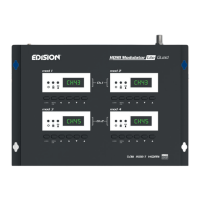
“Left” / “Right” in each modulator display separately (MOD1, MOD2, MOD3, MOD4)
MOD1 & MOD2 in pair, produce one COFDM DVB-T or ISDB-T MUX which includes
2 TV channels. e.g. TV-1 & TV-2
MOD3 & MOD4 in pair, produce another COFDM DVB-T or ISDB-T MUX which includes
2 TV channels. e.g. TV-3 & TV-4
IMPORTANT:
1. The Menu selections for: CHANNEL, RF LEVEL, FACTORY DEFAULTS, TV
STANDARD are made only from Modulator Display MOD1 & MOD3 and automatically
adjust their pair units Modulator Display MOD2 & MOD4, respectively.
2. Each HDMI source input is addressed to its HDMI Modulator.
HD IN 1 = mod 1 (conguration Display)
HD IN 2 = mod 2 (conguration Display)
HD IN 3 = mod 3 (conguration Display)
HD IN 4 = mod 4 (conguration Display)
3.
Each HDMI Modulator has its own USB port, for CFG (Cong File) function.
USB 1 = mod 1 (conguration Display)
USB 2 = mod 2 (conguration Display)
USB 3 = mod 3 (conguration Display)
USB 4 = mod 4 (conguration Display)


 To Next Page