21
►Menu system
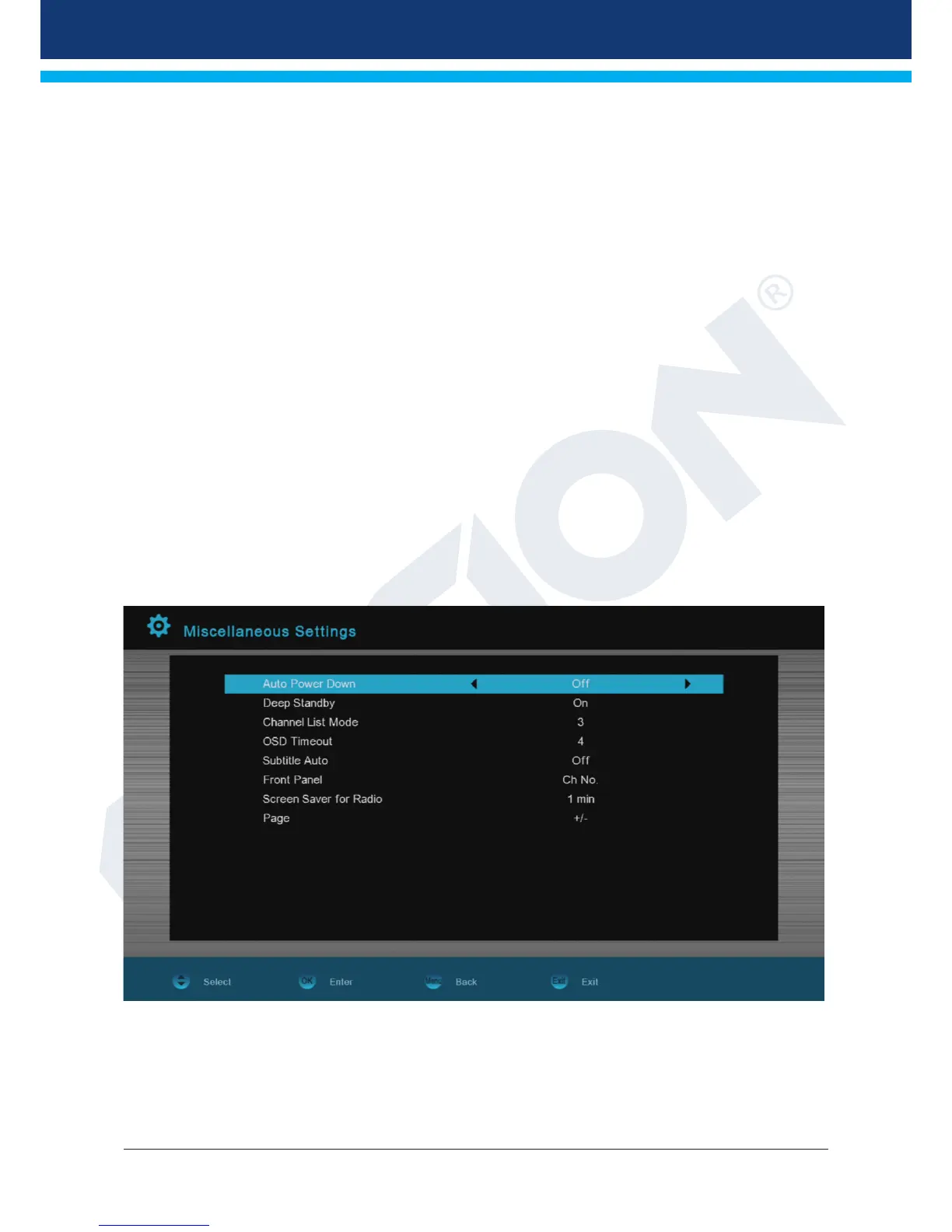
Other settings
Functions and settings in the menu:
Go into standby: Here, time can be set in minutes in which the receiver should switch into
standby mode (30 minutes to 3 hours).
0.5 Watt Standby: Specify here whether the receiver is switched into 0.5 watt standby mode.
Select TV lists: Set here the way the program list should be displayed. There is a simplified
(simple TV list) and a detailed display (Standard TV list).
Fade in OSD time: Specify here the display duration of the information windows. Use the left/right
arrow buttons to change the value (from 1 to 10 seconds).
Automatic subtitles: Specify here whether existing subtitles should or should not be displayed
automatically.
Display: External USB display option. Program number or time display (not included in
scope of delivery)
Radio background image: Set here the display time of the radio background image.
Page: Here you can switch the way you want to scroll entire pages.
Next page with + or -.
Exit the 'Other settings' menu by pressing the EXIT button.


 To Next Page