►Menu conditional
Information
Information about the device is displayed here. This information may be relevant when contacting your
dealer. Furthermore, the version of the receiver software can be found here.
Exit the 'Information' menu by pressing the EXIT button.
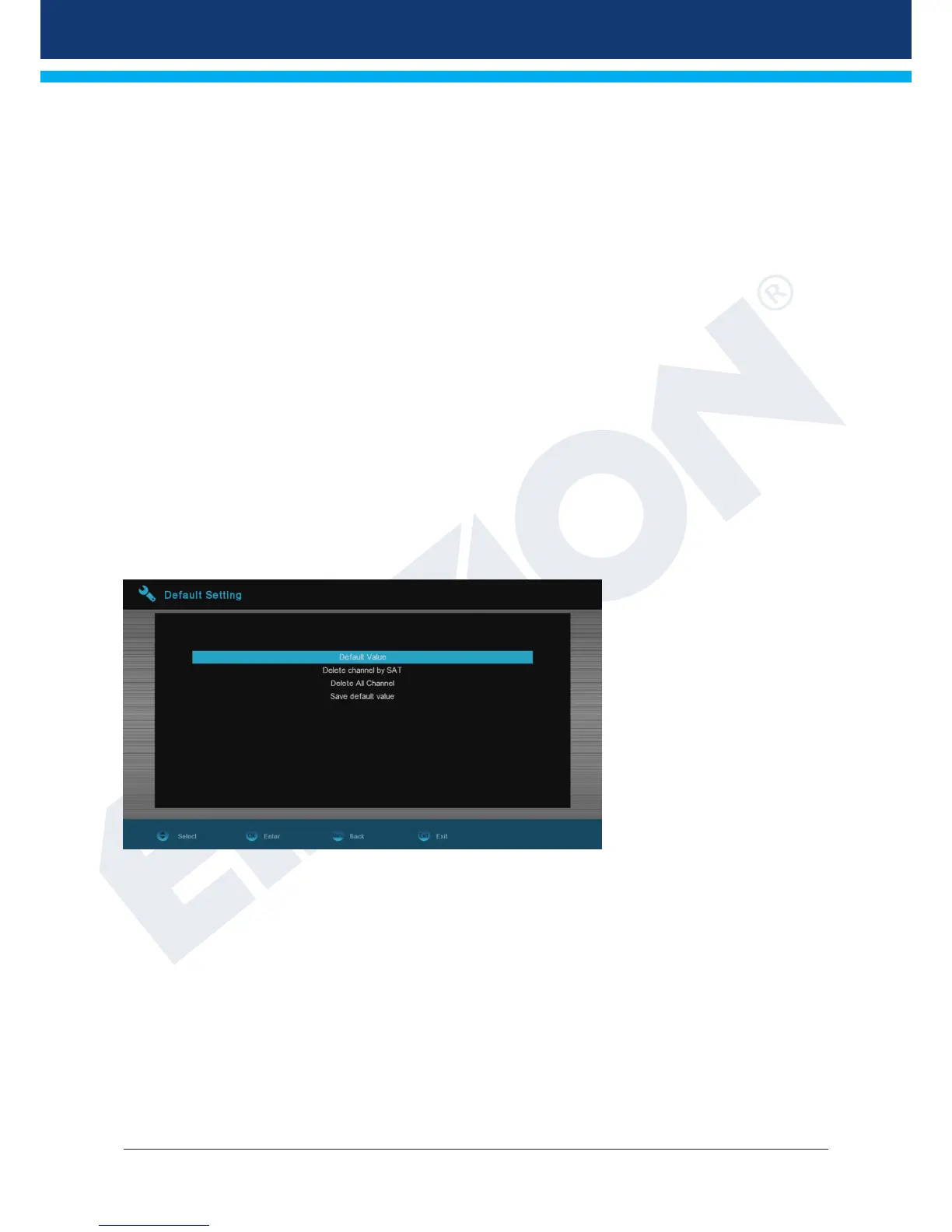
Factory setting
Use the up/down arrow buttons to select one of the following menu items and press the OK button.
Functions and settings in the menu:
Factory setting: This item resets your receiver at the software end into the state after
manufacture. After selection with the OK button, enter PIN code
(normally 0000). A warning window appears afterwards.
Delete all channels: The channel lists are deleted here.
Save as factory setting: The current configuration can be specified here as factory settings.
Exit the 'Factory settings' menu by pressing the EXIT button.
Note: The 'USB' menu is only accessible if a suitable USB memory device is plugged in and recognised by
the receiver.


 To Next Page