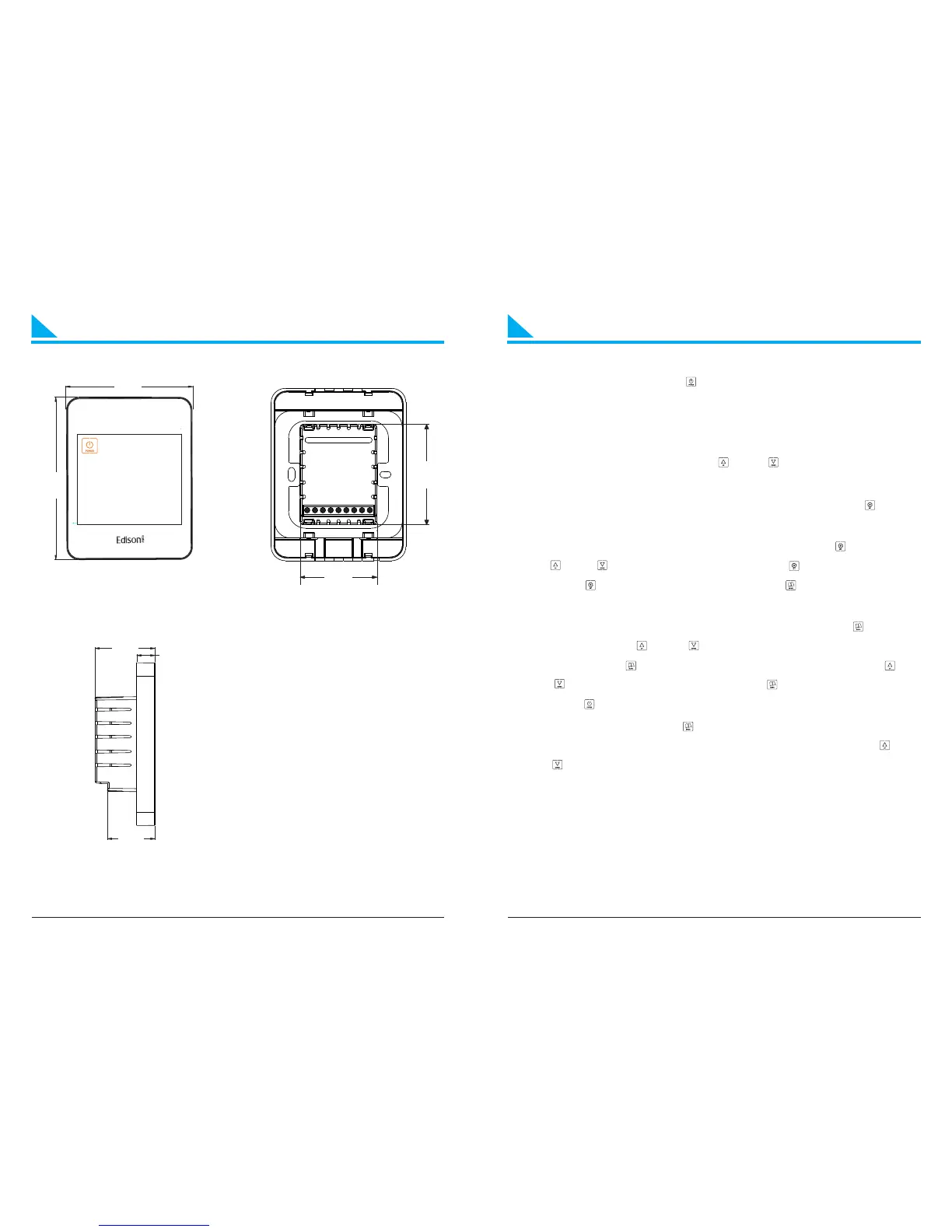
General SettingDimensions
64.1
49.2
32.2
40.6
12.4
86
11
0
① ②
③
5
Front View
①
②
③
Unit:mm
Back View
Left View
1. Power on / off: Presss “ ” to turn on or turn off the controller.
When power is off, it displays “OFF” and current time
alternatly; when power is on, it displays setting temp. and
current time alternatly.
2. Adjust setting temp.: Press “ ” or “ ”to adjust temp. during
manul control and temporary control mode.
3. Key-lock function: In the “ON” state, keep pressing “ ” for 3s
until the coin “LOC” displays, to lock or unlock the controller.
4. Time and week setting: In the “ON” state, press “ ”, then press
“ ” or “ ” to amend the minute; press “ ” to amend the hour;
press “ ” to set the day of week, press “ ” to save and exit the
setting.
5. Time program: In the “ON” state, keep pressing “ ” to start
setting, press “ ” or “ ” to adjust the current time(15mins/
step). Press “ ” again to check related temp., press “ ” or
“ ”to adjust setting temp.. Press “ ” to adjust next period.
Press “ ” to save and exit the setting.
6. Control mode: Press “ ” to switch manual or time program
control mode. In time control mode, keep pressing “ ” or
“ ”to enter into temporary control mode.
6


 To Next Page