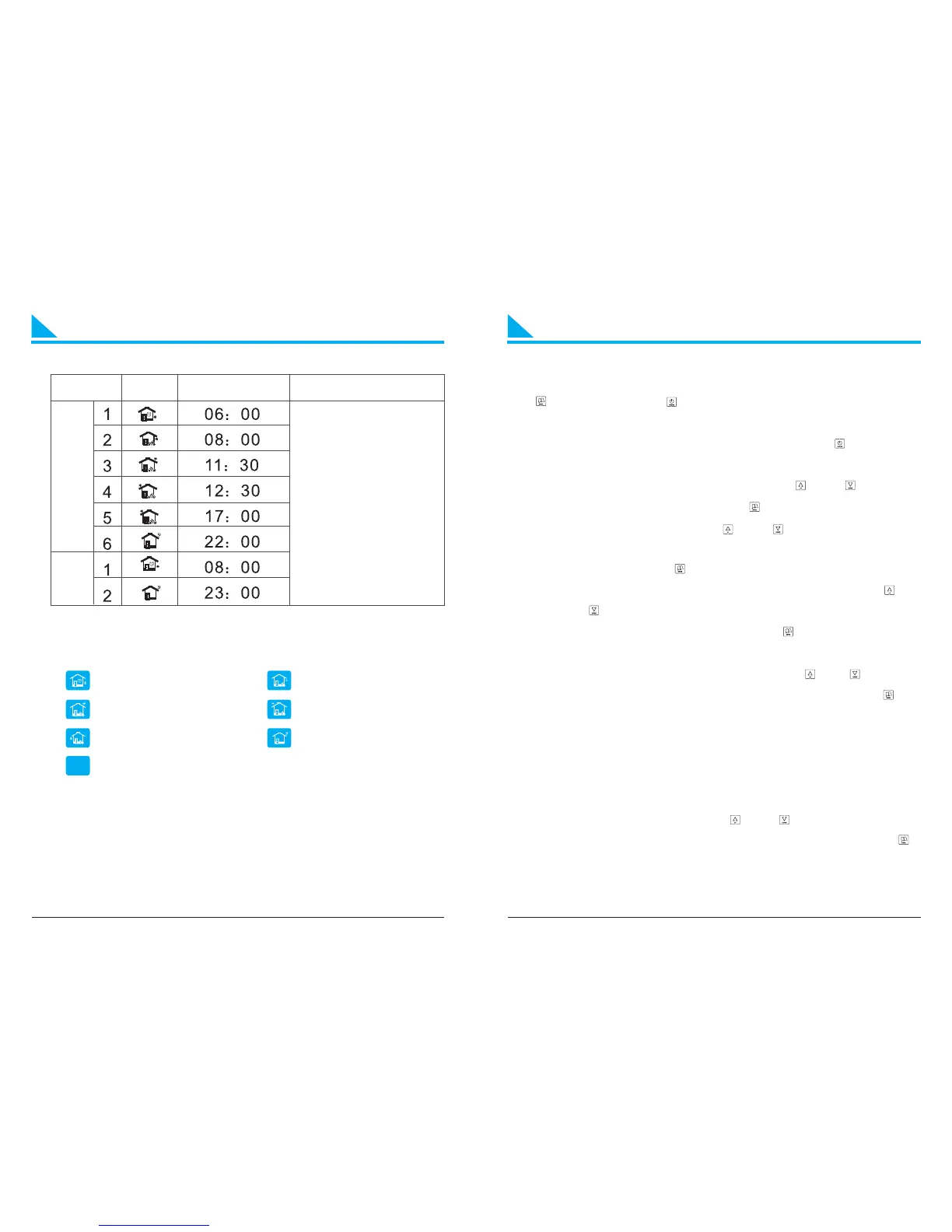
General Setting
Periods
22℃
Coins Default Time Default Temperature
WeekdaysHoliday
LO C
Wake up, Period 1 Leave(am), Period 2
Return(am), Period 3 Leave(pm), Period 4
Return(pm), Period 5 Sleep, Period 6
Key-LOC
Advanced Setting
Normally set by technicians during the first installation. Press
“ ” first, then press “ ” for 3s to enter into setting in the “ON”
state.
Tips: (Amend the datas via advanced setting, press “ ” to save and
exit the setting.)
01. Adj Temperature compensation, press “ ” or “ ” to adjust
during range -9~9℃. Press “ ” to enter into next setting.
02. Sen Sensor slection, press “ ” or “ ” to choose the sensor.
“IN”-internal sensor, “OU”-external sensor, “AL”-double
sensors. Press “ ” to enter into next setting.
03. Lit Limitation temperature of external sensor, press “ ” or
“ ” to change the exact limited temperature of external
sensor during 30~60℃ , press “ ” to enter into next
setting.
04. Dif Switch deviation ( bandwidth), press “ ” or “ ” t o adjust
the differential temp. during range 1-5℃ , press “ ” to
enter into next setting.
Main output from “OFF” to “ON”: Action temp.=setting temp.-
differential temp.
Ma i n ou t p u t f r o m “ O N ” t o “ O F F ” : A c t i o n t e m p . = s e t t in g
temp.+differential temp.
05. Prg 5+2/6+1/7 or off, press “ ” or “ ” to switch workdays,
5/6/7 workdays, or turn off the time program. Press “ ”
to enter into next setting .
Tips: workdays divided into 6 periods, and holidays divided into 2
periods only .
7
8


 To Next Page