Programming Manual 2.27
configured for any one of four possible alternate sensitivity values. The
cursor is always located at the default value 2) Normal in the menu. If
the default setting is required, press Enter. If a setting other than the
default value is required, use the cursor control keys to move the cursor
to the correct number and press Enter.
After pressing Enter, the following screen is displayed:
Note: California State Fire Codes allow a maximum of 30 seconds
alarm verification time. When installing in California, do NOT use
menu items 6) 35 seconds, 7) 45 seconds, or 8) 60 seconds.
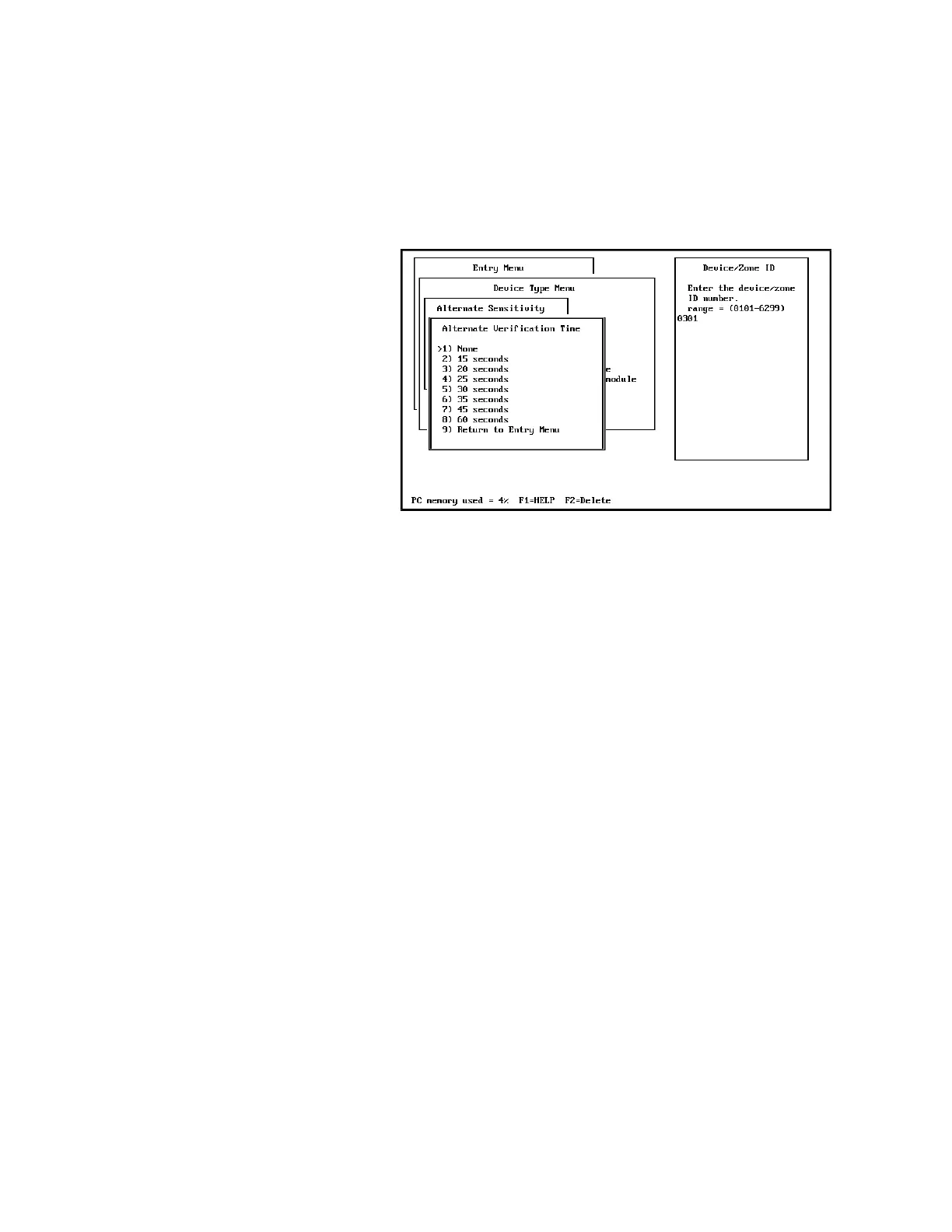
The alternate verification time is used in the same manner as alternate
sensitivity levels. If an application does not require an alternate value,
select the same verification time as the primary selection. Each of the
ionization and photoelectric sensors entered as a group may have a
different alternate alarm verification time associated with it. The cursor
is always located at the default value 1) None in the menu. If the default
setting is required, press Enter. If a setting other than the default value
is required, use the cursor control keys to move the cursor to the correct
number and press Enter.
Thermal Detector
1) Entry Menu > 4) Enter Device/Zone Types > 4) Thermal Detector
When defining a sensor as a 4) Thermal detector, no further information
is required and the screen returns to the 4) Enter Device Zone Types
menu.
Alarm Monitor Module
1) Entry Menu > 4) Enter Device/Zone Types > 4) Alarm Monitor
Module
When selecting 5) Alarm Monitor Module from the menu, the following
screen is displayed:



 To Next Page