20
CHAPTER 5. CALIBRATION PROCEDURE
All the AC Power Sources are calibrated at the factory before delivery. Unless necessarily,
kindly do not re-calibrate within the first 12 months.
Follows calibration steps are an example for 6910S.
5.1 Calibration Procedure
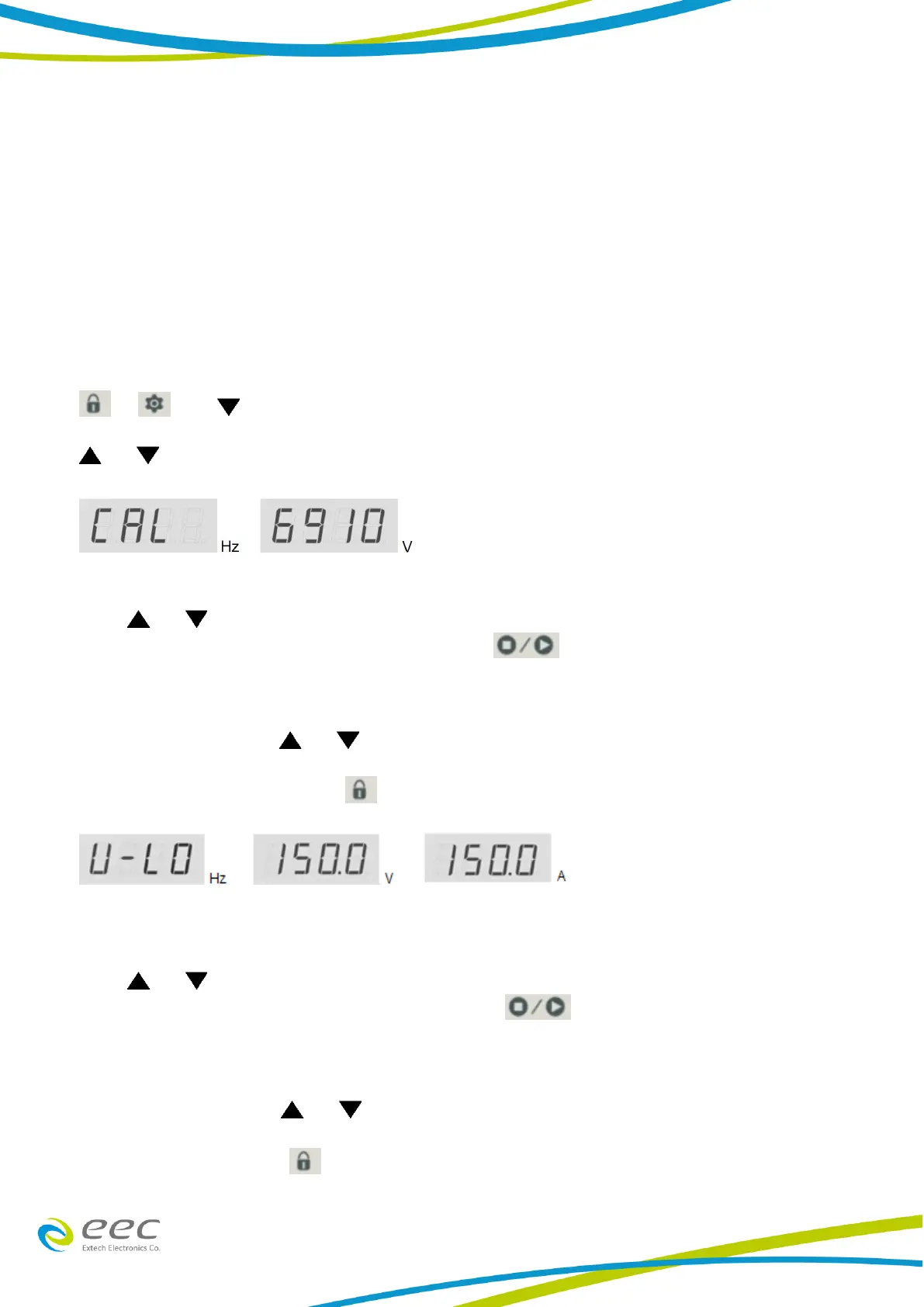
Ensure the model version is correct before turn OFF the AC Power Source. Press and hold
、 and key while turn ON the AC Power Source. After two seconds, the AC
Power Source will indicate model number and version. It is now at calibration mode and press
or key to select a calibration menu.
Low Range Voltage Calibration
Press or key from the Frequency display to select “V-LO". Connect a calibrated true
RMS Voltmeter on one of the output socket and press key in order to activate the
CPU to read a low range offset voltage and send a 150VAC output voltage. The accurate RMS
Voltmeter will indicate an actual voltage value while the Current display on the AC Power
Source will indicate a necessary value needed to be calibrated. Using the voltage value from
the RMS Voltmeter, press or key from the Current display to scroll the display
which indicate the current voltage value, in order to set the voltage according to the RMS
Voltmeter. After it is done, press key to save the data stored and the low range voltage
calibration is completed.
High Range Voltage Calibration
Press or key from the Frequency display to select “V-HI". Connect a calibrated true
RMS Voltmeter on one of the output socket and press key in order to activate the
CPU to read a high range offset voltage and send a 300VAC output voltage. The accurate RMS
Voltmeter will indicate an actual voltage value while the Current display on the AC Power
Source will indicate a necessary value needed to be calibrated. Using the voltage value from
the RMS Voltmeter, press or key from the Current display to scroll the display which
indicates the current voltage value, in order to set the voltage according to the RMS Voltmeter.
After it is finished, press key to save the data stored and the high range voltage
calibration is completed.


 To Next Page