16
4.2 System Parameter Setup
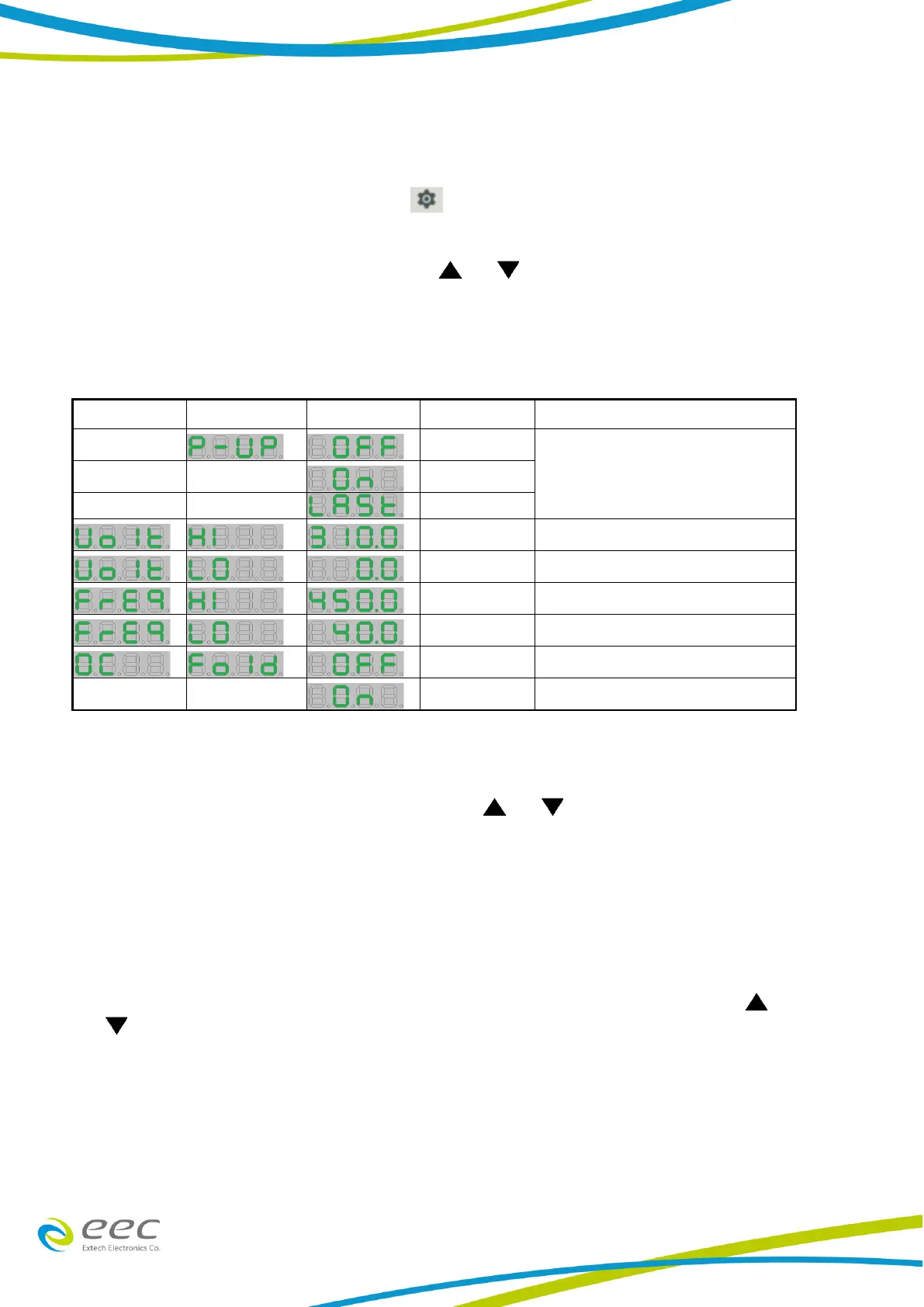
When the output is in OFF condition, press key to enter into system parameter setup
and SYSTEM indicator will light up. The indication of system parameter setup will be shown at
the Voltage/Frequency display. By pressing the or key from the Voltage display, it
then allows to scroll a system parameter setup menu; Power – Up, Frequency HI Limit,
Frequency Low Limit, Voltage HI Limit, Voltage Low Limit and Over Current Fold Back settings.
SYSTEM PARAMETER
Output status of power up.
Maximum voltage setting limit
Minimum voltage setting limit
Maximum frequency setting limit
Minimum frequency setting limit
Output Current fold back disable
Output Current fold back enable
1. Power - Up
While the Voltage display indicates “P-UP”, press the or key from the Current display
to select ON/OFF/LAST for the output status. As the Power-Up is turned OFF, the output is set
to be at OFF condition after turn OFF or ON again the AC source. When the Power-Up is ON,
then the output is instantly ON after the AC Power Source is being OFF and ON again. When
the Power-Up is set to LAST, the display will indicate last POWER OFF setting status.
2. Voltage HI Limit
The Frequency display will indicate “Volt” and the Voltage display shows “HI”. Press the
or key from the Current display to adjust the high limit voltage within the range of 0 -
310V.


 To Next Page