MV-2502-2508-08-2022
.
eeese-aircare.com © All rights reserved eeese air care a/s
79
UK
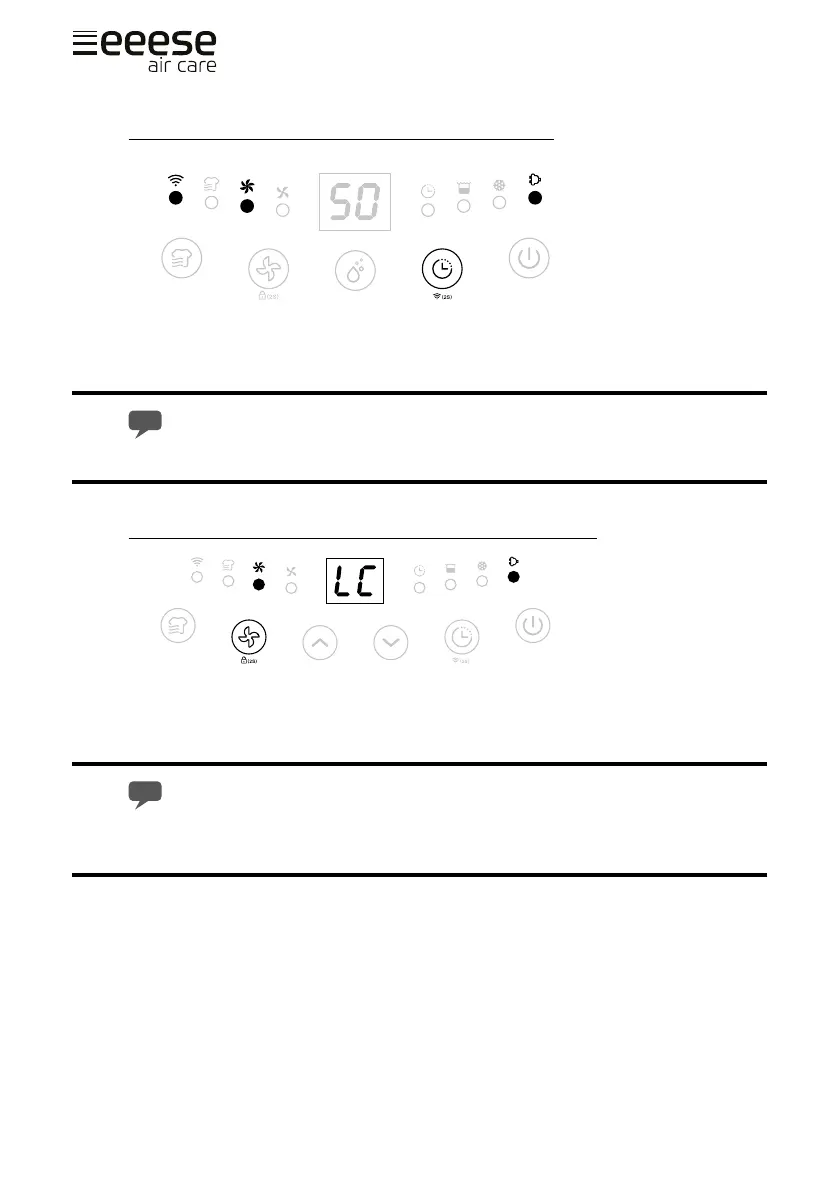
WiFi Function [ Timer button-2 seconds] (only 2502)
Press the Timer button for 2s to activate WiFi function and enter the distribution network
mode, during the network conguration, the WiFi indicator ash quickly, after WiFi connec-
ted the indicator is on.
Detailed operation, please refer to the manual ”Smart Connection Operation Guide”.
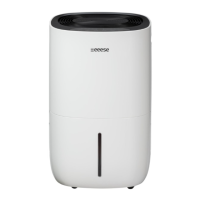
Safety Childlock Function [ Fan Speed button-2 seconds ]
Press the Fan speed button for 2s to lock all buttons with a beeping sound, the same
operation can unlock it.
Safety childlock function can be set at standby mode and working mode but can’t
be activated when water tank is full.


 To Next Page