MV-2556-2557-08-2022 eeese-aircare.com © All rights eeese air care aps
91
UK
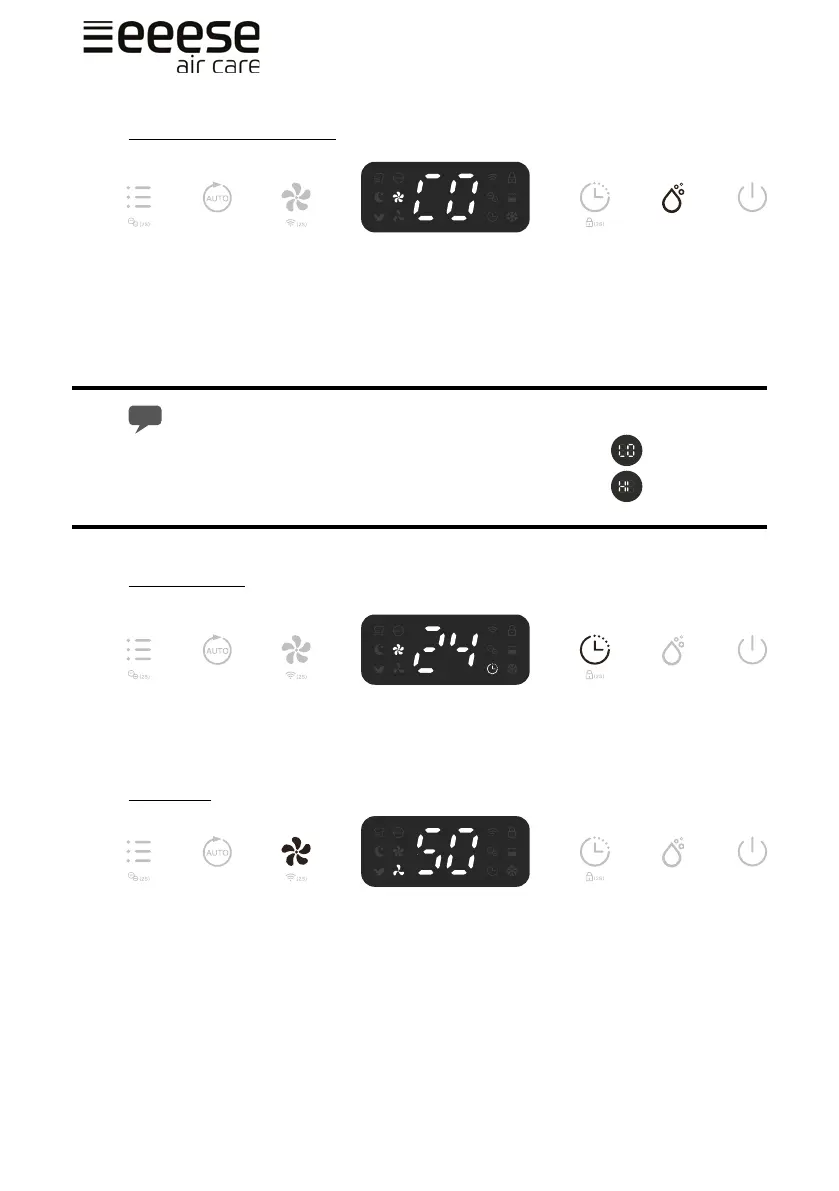
Humidity Setting Control
Press the Humidity setting button (A) to select the desired maximum level of humidity
between the following CO-30%-35%-40%-45%-50%-55%-60%-65%-70%-75%-80%-CO. CO
stands for continuous non-stop dehumidication. If you select one of the percentages,
then the unit will run until that level is reached. And if the humidity is below the selected
percentage, the unit will not run.
If the ambient humidity is lower than 30% the display will show LO
If the ambient humidity is higher than 90% the display will show HI
Timer Setting
When the unit is turned on, press the Timer button (A) and select between 1-24hr to
select your preferred timer duration before automatic shuto setting. The timer indicator
will be activated on the display.
Fan speed
During normal dehumidication, you can select high or low fan speed (A). This will aect
how quickly dehumidies.
A
A
A


 To Next Page