- 13 -
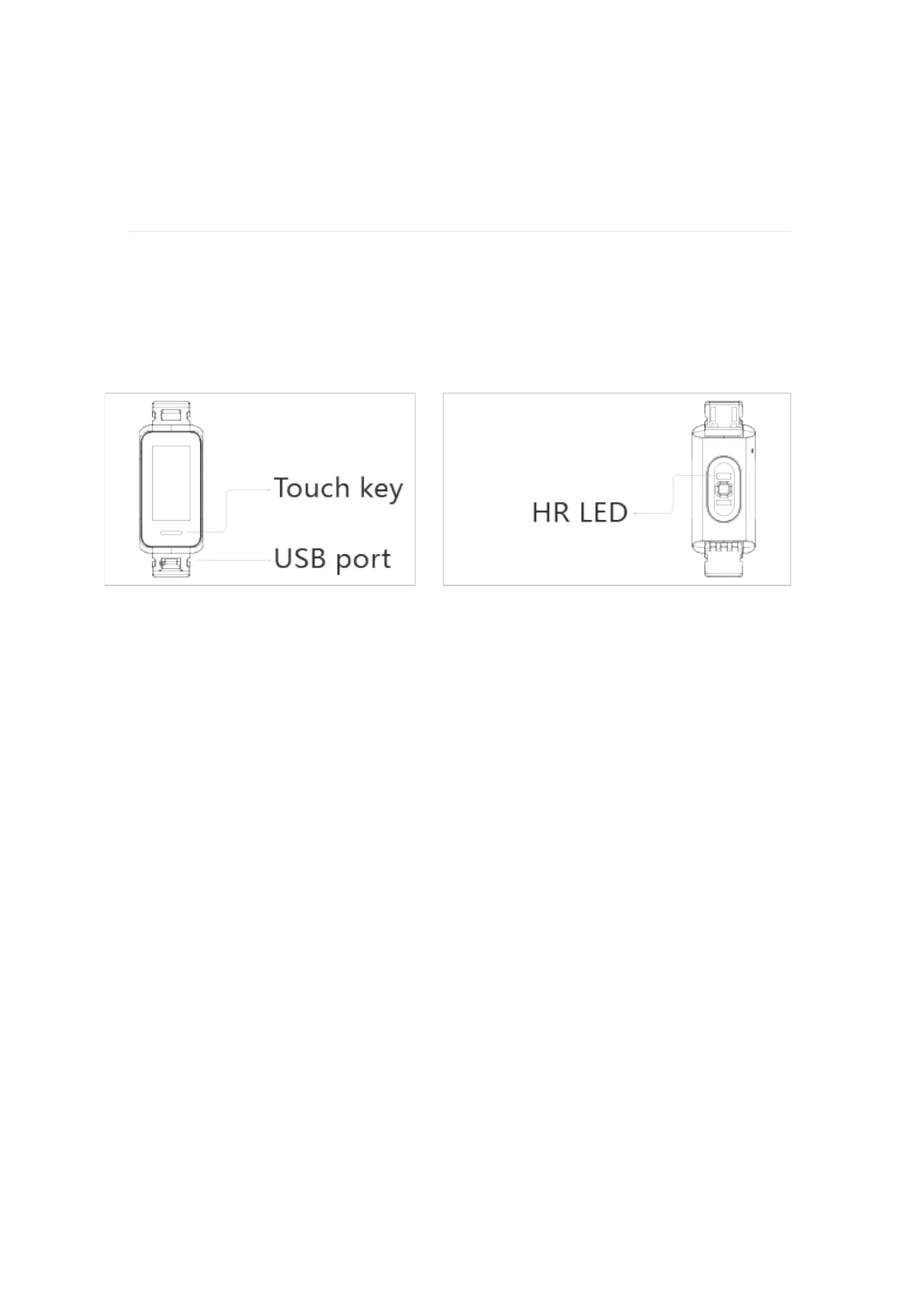
Hyper X has a touchscreen display and 1 Touch key.
Navigate Hyper X
Basics
Navigate Hyper X by tapping the screen, swiping side to side and up and
down, or pressing the touche key. To preserve battery, the tracker’s
screen turns off when not in use.
1. Swipe down to see notifications.
2. Swipe up to see your daily stats.
3. Swipe left to see the apps on your tracker.
4. Press the touch key to go back to a previous screen or return to
the clock face.
Click and hold the Home screen
1. To change the watch face wallpaper.
The home screen is the clock.


 To Next Page