The Control Pad provides menu navigation for the front panel configuration
menus. The control pad buttons are: ENTER (marked by a check), CANCEL
(marked by an ‘X’), LEFT, RIGHT, UP, and DOWN.
The front panel USB port provides firmware upgrade capability via a flash
memory device. Updates can be applied through the USB port as well as the
web interface. See Updating Your iCap Encoder section on page 5 to learn
more.
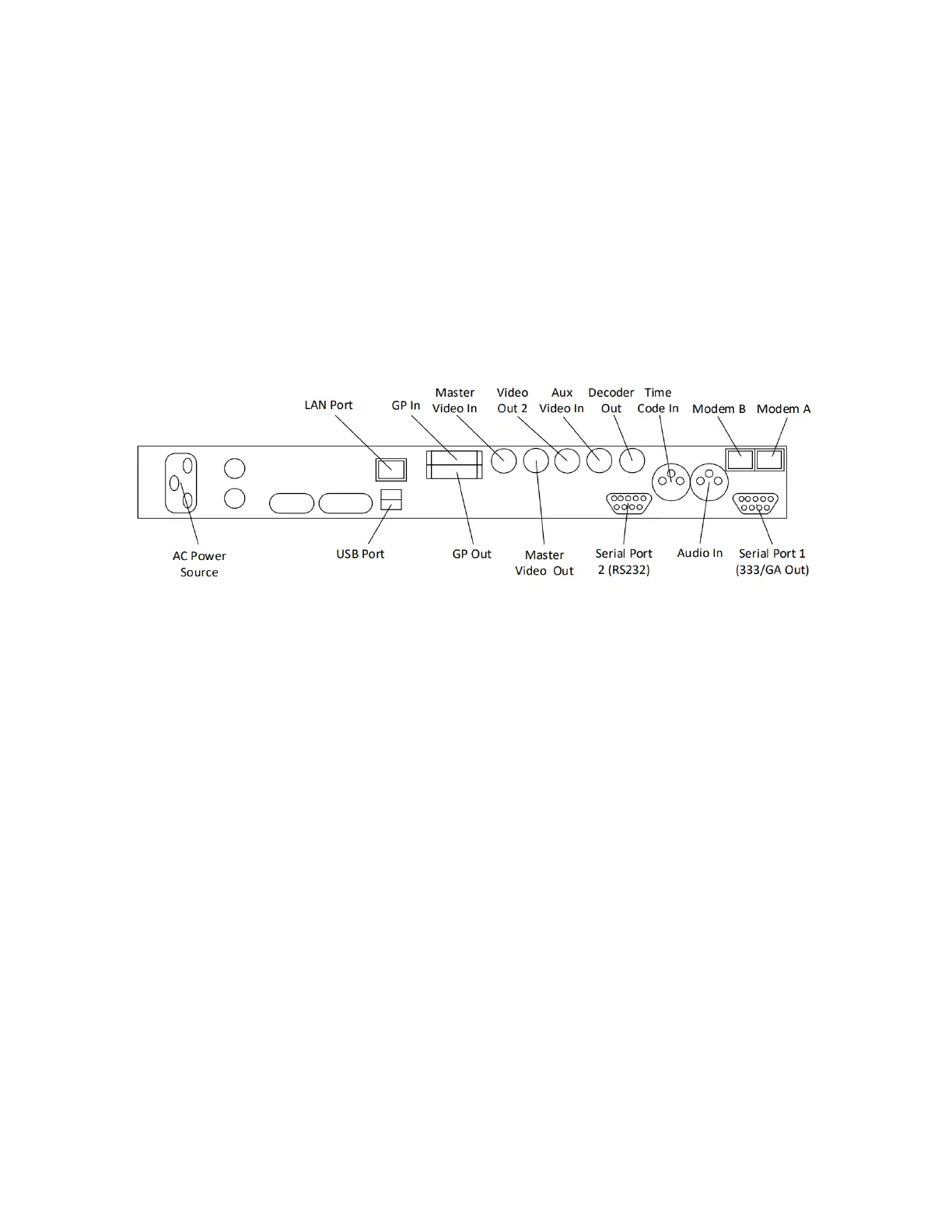
Rear Panel
AC power input, 120 – 240 V, 50-60 Hz tolerant. Connects to the unit’s AC
power source.
Input for program video source - can use 3G-SDI, HD-SDI, or SD-SDI
Relay-bypass protected primary video output.
Non relay-bypass protected copy of the primary video output signal.
If dual video encode is on then this acts as secondary video output –
otherwise it outputs open caption data for monitoring.
The Aux Video In can be used as a source of caption data when connected to
a captioned HD-SDI or SD-SDI video source. Caption data from the Aux Video
In will be up-converted or down-converted as necessary for encoding to the
Master Video signal. If caption data is present at both the Master Video In
and the Aux Video In, the signal with HD data will take precedence. See
Applications section for more complicated bridging options.
Standard RJ-11 port. Connect to a phone line to enable dial-up captioning.
Modem A is installed in the unit; Modem B is an add-on option.
31 Copyright © 2021 EEG Enterprises, Inc.
All Rights Reserved.



 To Next Page