Accessing Your Encoder’s Web Interface
Your Encoder’s web interface can be accessed through any computer on your local network and controls many of
your encoder’s applications, configurations, and features (see Security Settings and Password Protection below for
instructions on how to secure access to the web interface). You will see it referenced many times throughout this
manual.
The encoder must be connected on your network to access the web interface (reference Quick Network Setup).
The web interface is accessed by entering the IP address assigned to your encoder in your computer’s web
browser. Note that if you set the encoder up with DHCP, the address can change at will and you should check the
IP from the front panel of your encoder at System Setup > Network > IP Address to ensure you are using the
correct IP to access the web interface.
Security Modes and Password Protection
To limit access to the encoder’s web interface, you may set up a password through the front panel of your
encoder via Setup > Security > Security Mode. This password will be required for access to the encoder’s web
interface, not the front-panel LCD menu. See below for a complete description of all Security Mode options. iCap
connections are still allowed in all modes.
SSH and Ping available; web interface accessible via HTTP, no password
SSH and Ping available; web interface accessible via HTTPS, requires password
SSH and Ping disabled; web interface accessible via HTTPS, requires password
Highest-security setting; SSH, Ping, and web interface all disabled
Setting Date & Time
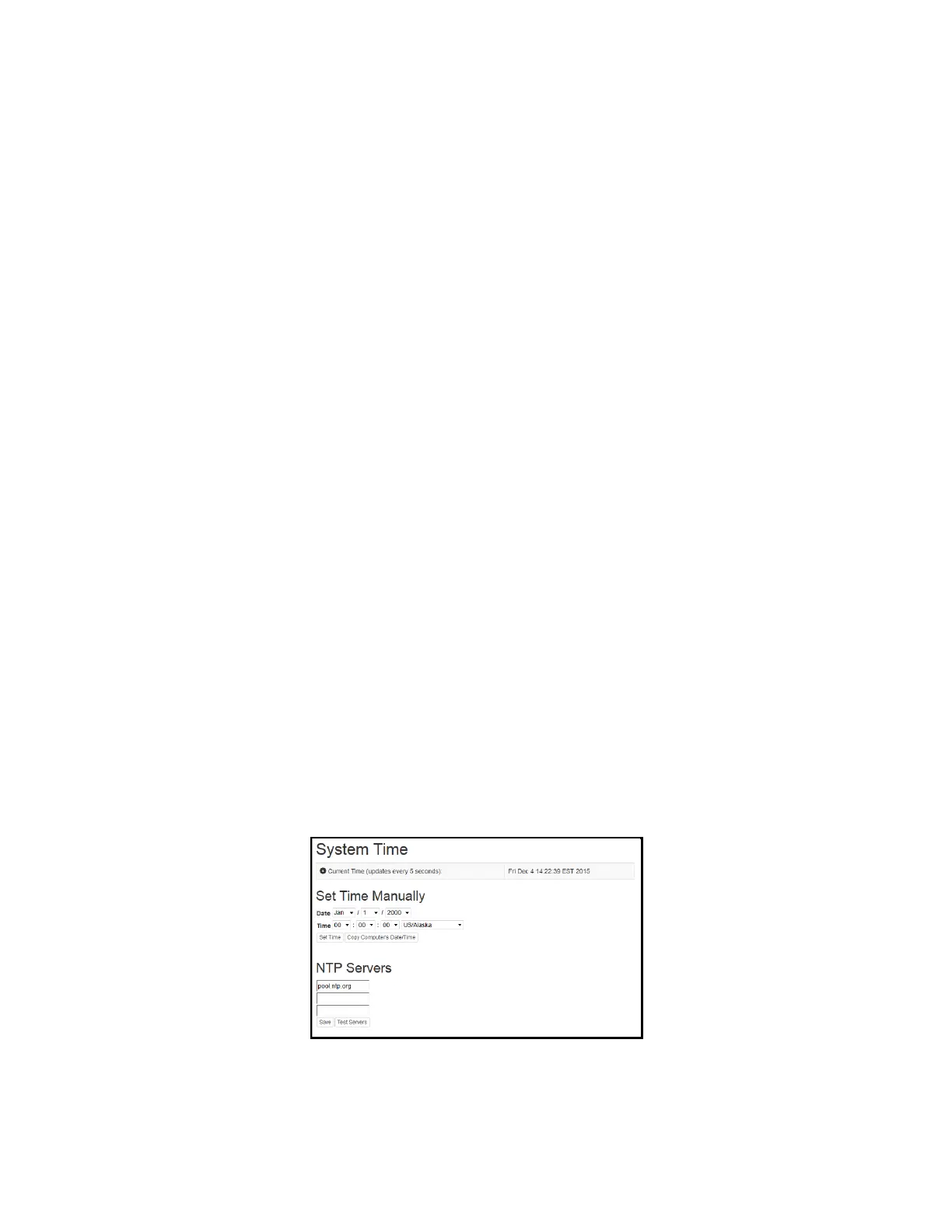
The Date and Time can be set by selecting Date/Time from the side menu on the web interface.
Figure 1: Date/Time Settings on the Encoder Web Interface
7 Copyright © 2021 EEG Enterprises, Inc.
All Rights Reserved.



 To Next Page