MANUAL
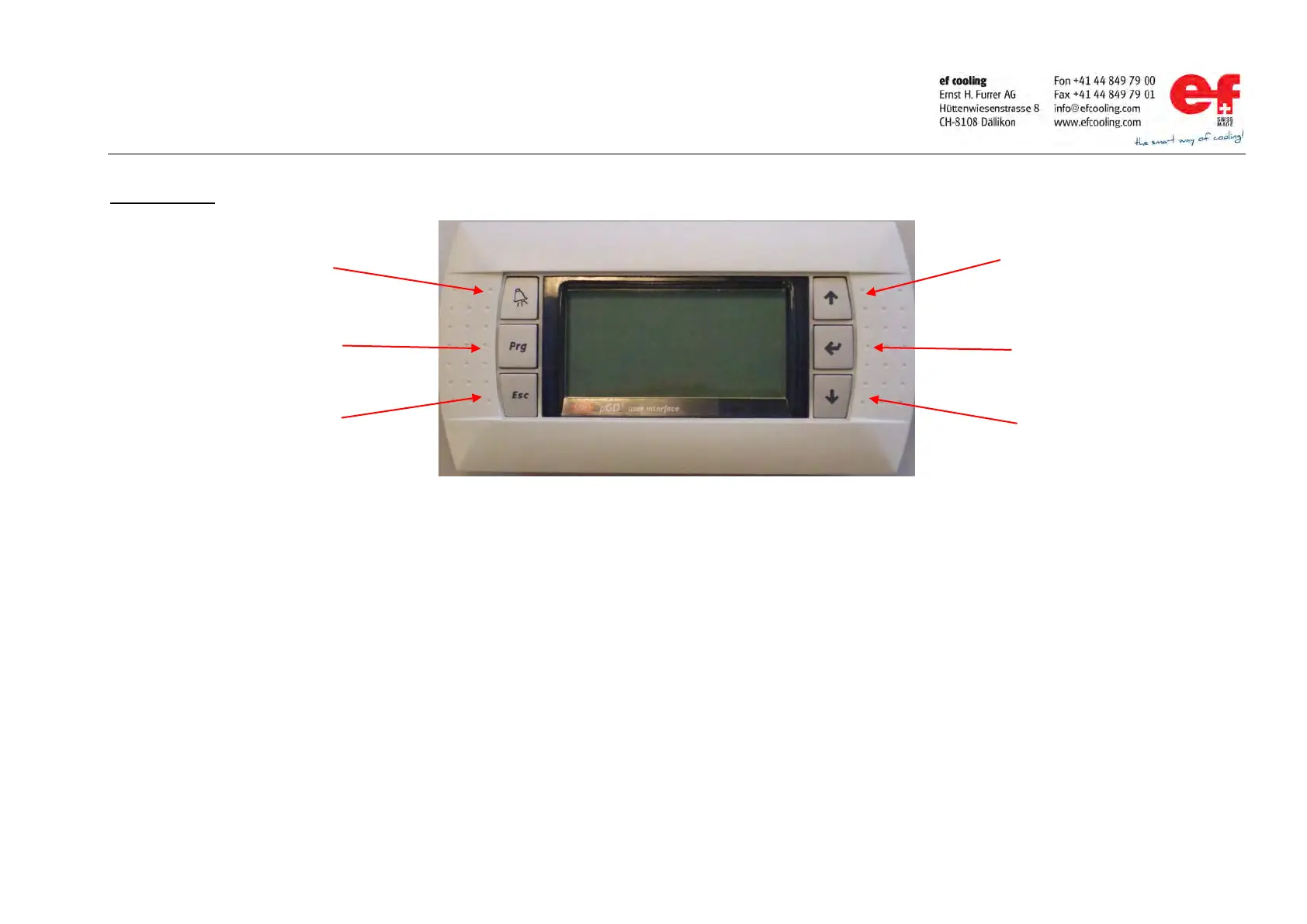
Display handling / key description
EVO
45
3/15
Key description
ALARM key
-If the key is flashing (red); one or more alarms / errors are present
-By pressing the alarm key, the display shows all active alarms / warnings.
PRG key
-By pressing the PRG key, the display change to the “Menu overview” display
-If the PRG key is flashing (yellow), a manual mode (manual software shift) is active.
ESCAPE key
-By pressing the ESCAPE key, the display move to the next upper level
UP and Down key
-Scrolling through the „Menu overview“ display.
-Adjustment of a elected set point.
ENTER key
-Select the electet sub menu or confirm and store a adjusted set point.
Illumination of the display background
If the illumination is on, it means that the external release is present (operation mode), otherwise the illumination is off.
key
key
key
key



 To Next Page