MANUAL
Handling Overview / Menu Overview
EVO
45
4/15
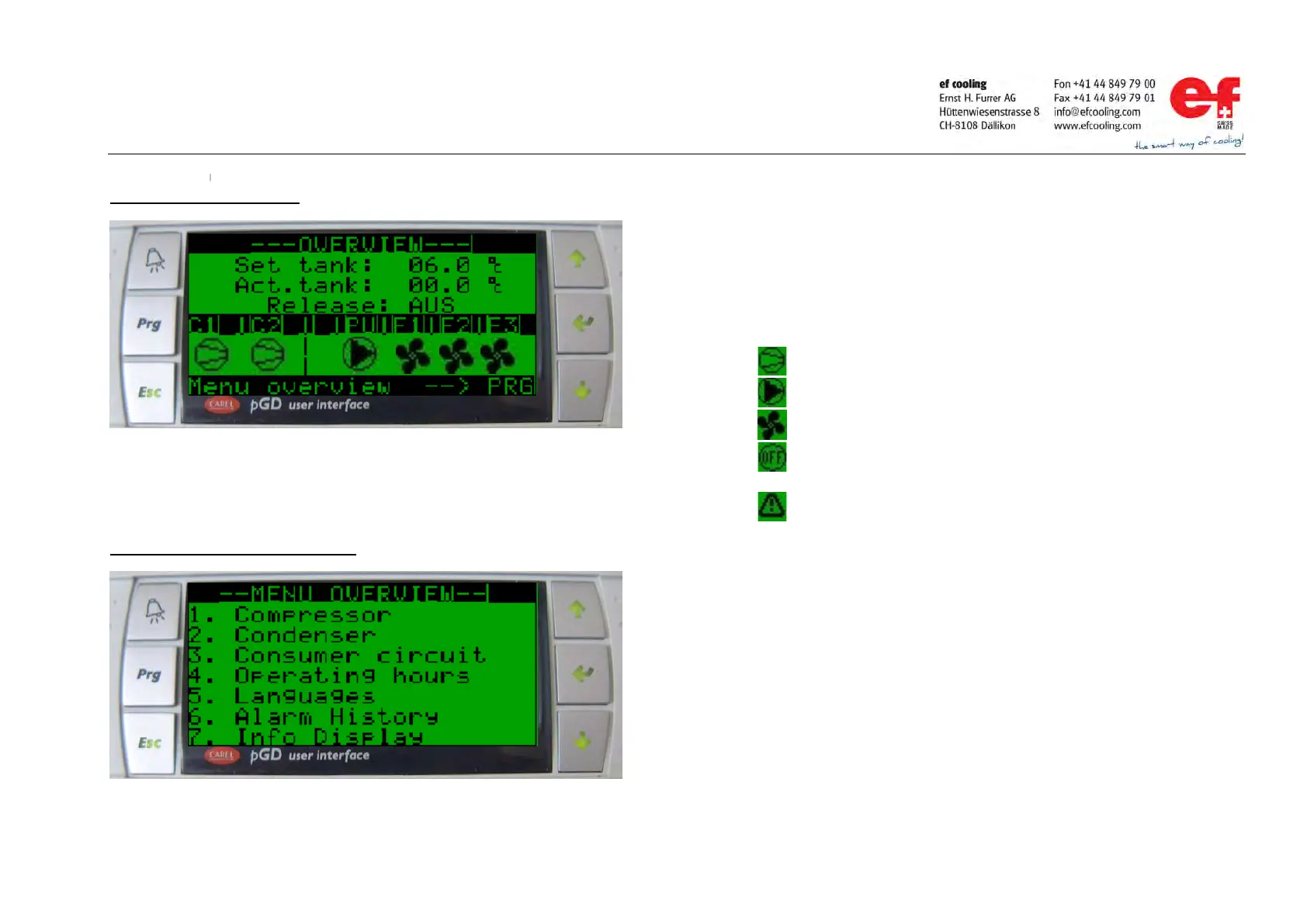
Handling “overview” display
Handling „menu overview“ display 1.
Press ENTER key once, the cursor jump to the adjustable field.
Press UP or DOWN key to adjust the set point.
With pressing 1 time the ENTER key, the cursor jump back to the home
position and the new value is stored.
With pressing the ESCAPE key, the cursor jump back to the home position
the value.
Press PRG key Display move to the „Menu overview“.
UP or DOWN key to move the cursor to the sub menu of your choice.
ENTER key to switch into the choosen sub menu.
ESC key to leave the sub menu and return to the “Overview”.
Compressor running.
Consumer Pump running.
Condenser Fan running.
Compressor / Consumer Pump /Condenser
Fan off.
Compressor / Consumer Pump /Condenser
Fan not ready.



 To Next Page