Use the forward and backward buttons to
scroll to the SETTINGS section on the main
menu, and press settings to enter. Use up and
down to reach the desired settings mode, and
press set to enter.
1. Voltage
The default value for voltage is 240V in Australia.
Use the up and down buttons to increase or
decrease the voltage value, and then press set
to set the value and return to the settings menu.
2. Carbon Ratio
Use the up and down buttons to increase or
decrease the kgCO
2
value, and then press set
to set the value and return to the settings menu.
SETTINGS
SETTINGS
11 12
YOUR ECOTOUCH MONITOR
VOLTAGE AND CARBON RATIO
Charging the ecotouch monitor
To charge your ecotouch monitor, use the provided USB cable and plug the monitor either into
your computer or your ecosocket. When the monitor is charging you will see the battery icon
filling up, and when the monitor has finished charging the icon will appear full.
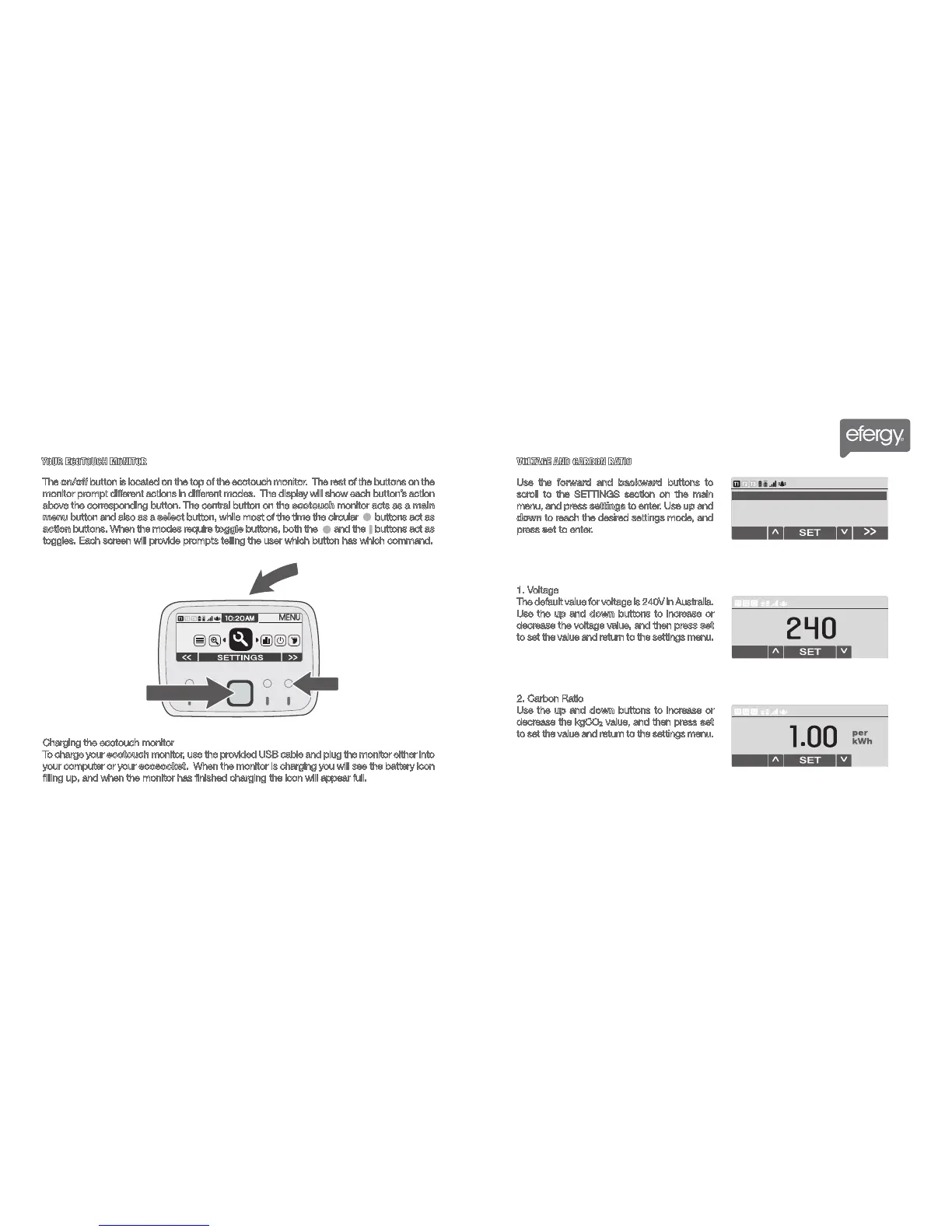
The on/off button is located on the top of the ecotouch monitor. The rest of the buttons on the
monitor prompt different actions in different modes. The display will show each button’s action
above the corresponding button. The central button on the ecotouch monitor acts as a main
menu button and also as a select button, while most of the time the circular buttons act as
action buttons. When the modes require toggle buttons, both the and the buttons act as
toggles. Each screen will provide prompts telling the user which button has which command.
On/Off
Action
Main Menu



 To Next Page