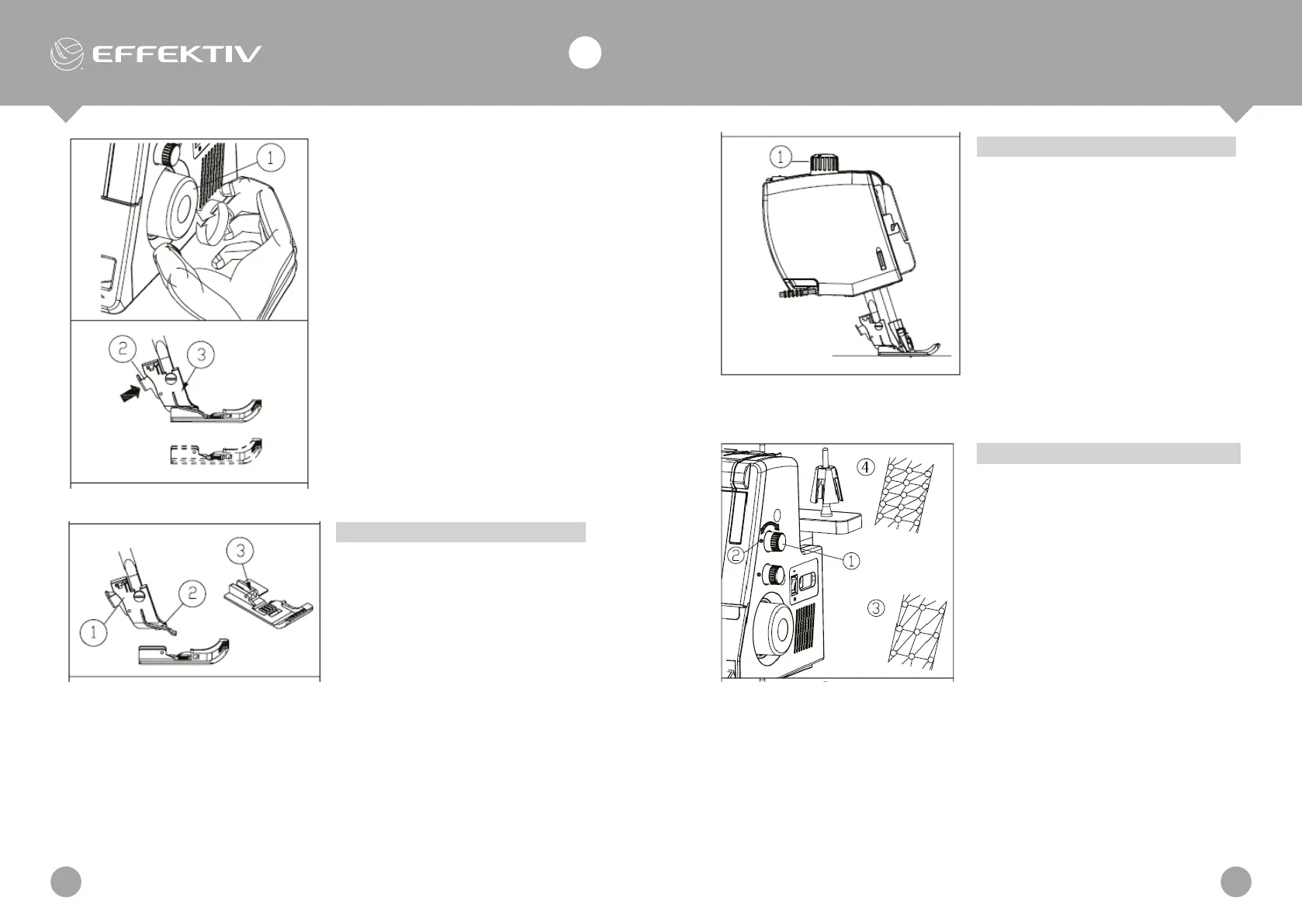
1. Turn off the power switch and
unplug the machine.
2. Turn the balance wheel toward
you to raise the needle.
Raise the presser foot.
3. Press the lever located on the
back of the foot holder. The
presser foot will drop off.
Balance Wheel
Lever
Presser Holder
Attaching the Presser Foot
1. Turn off the power switch and
unplug the machine.
2. Place the presser foot so that
the pin on the foot lies just
under the groove of the presser
holder.
3. Lower the presser holder to
lock the foot into place.
4. Raise the presser bar
connection rod to check that
the presser foot is secure.
Presser Holder
Groove
Pin
Presser Foot Pressure Adjustment
The preset presser foot pressure on
the machine is suitable for medium
fabrics. For most fabrics, the presser
foot pressure does not need to be
altered. If you intend to work with
lighter or heavier fabrics, however,
it may be necessary to reset the
pressure. In this case, you can choose
from six position; make your selection
with the presser foot pressure lever.
The standard setting is "N".
Presser Foot Pressure Lever
Adjustment of Stitch Length
To adjust the stitch length, turn the dial.
The larger the number, the longer the
stitch.
For regular sewing, set the stitch length
at 3 - 3.5.
1. Stitch length dial
2. Setting mark
3. To lengthen
4. To shorten
TRIUMPHATOR 2000X
1110
EN
USER MANUAL


 To Next Page