3130
efgis.com
CPAT FLEX User Manual (ARD4) CPAT FLEX User Manual (ARD4)
5. System Operation
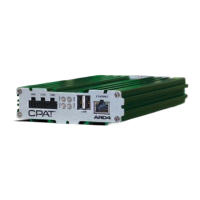
5.1 ARD4 Operation
5.1.1 Startup
When the vehicle starts, the ARD4 turns on automatically. The ARD4 PWR LED stays red until
the system has completely nished its boot process. When the boot process has ended the
PWR LED becomes green.
5.1.2 GPS
The ARD4 GPS LED stays OFF during the boot process. The LED is red when there is no valid
information coming from the GPS (bad GPS antenna connection) and green when there is
valid data.
5.1.3 Communication
The ARD4 tries to access the wireless network at startup in order to get its new conguration
les, and upload remaining data les that have not yet been transferred. When this is done,
it enters in transfer mode and simply tries to upload data les at congurable time interval.
During each le transfer the COM LED becomes green. If any error occurs during a transfer
this indicator becomes red for 1 second.
5.1.4 Shutdown
When the user turns off the vehicle, the ARD4 enters automatically into shutdown mode
(Power LED ashing). It then tries to upload all remaining data les for 5 minutes and then
shuts itself off. If the car is turned back ON, during this time the system stays ON and
reopens a new data le.
5.1.5 Missing device
If there is a missing device (DRV or ITX), DIAG LED ashes red.
5.2 DRV4 Operation
5.2.1 Startup
When ARD4 starts, DRV4 turns on automatically. The DRV4 PWR LED ashes green when
it is ready.
5.2.2 Communication
When DRV4 receives commands from ARD4, DRV4 COMM LED ashes green.
5.2.3 Leakage Detection
For any valid leakage detections the ARD4 DIAG LED and DRV4 MID/LTE (according to leak
band) LED becomes green until the leakage become undetected.
5.3 ITX2 Operation
5.3.1 Booting
When the ITX2 is booting, the LCD display shows a splash screen with the Efgis logo
for about 3 seconds. Then, the main interface appears, summarizing the unit’s operating
parameters.
5.3.2 Normal Operation
The ITX2 is automatically turned On/Off by the ARD4 when they are linked via the USB cable
and buttons are disabled, except for the Power button.
5.4 DRV3 Lite Operation
5.4.1 Antenna Selection
Since the ARD4 does not know which antenna is connected to the DRV3 Lite, you must
congure this option in the DRV3 Lite’s menu while it is disconnected from the ARD4. See
DRV3 Lite operating manual for antenna conguration.
5.4.2 USB Hotplug
All DRV3 Lite functional parameters are automatically applied by the ARD4 (operating
frequency and operating mode) once plugged to it. ARD4 forces DRV3 Lite in Mid-band only.
5.5 DRV3 Operation
5.5.1 Reading the measurement
The DRV3 starts up in measurement mode by default, and immediately detects and displays
levels for the last frequency selected. Unless the DRV3 has been set up for single band
detection, it simultaneously monitors the selected frequencies in the Mid band and the LTE
band.
5.5.2 USB Hotplug
All DRV3 functional parameters are automatically applied by the ARD4 (operating frequency
and operating mode) once plugged to it.


 To Next Page