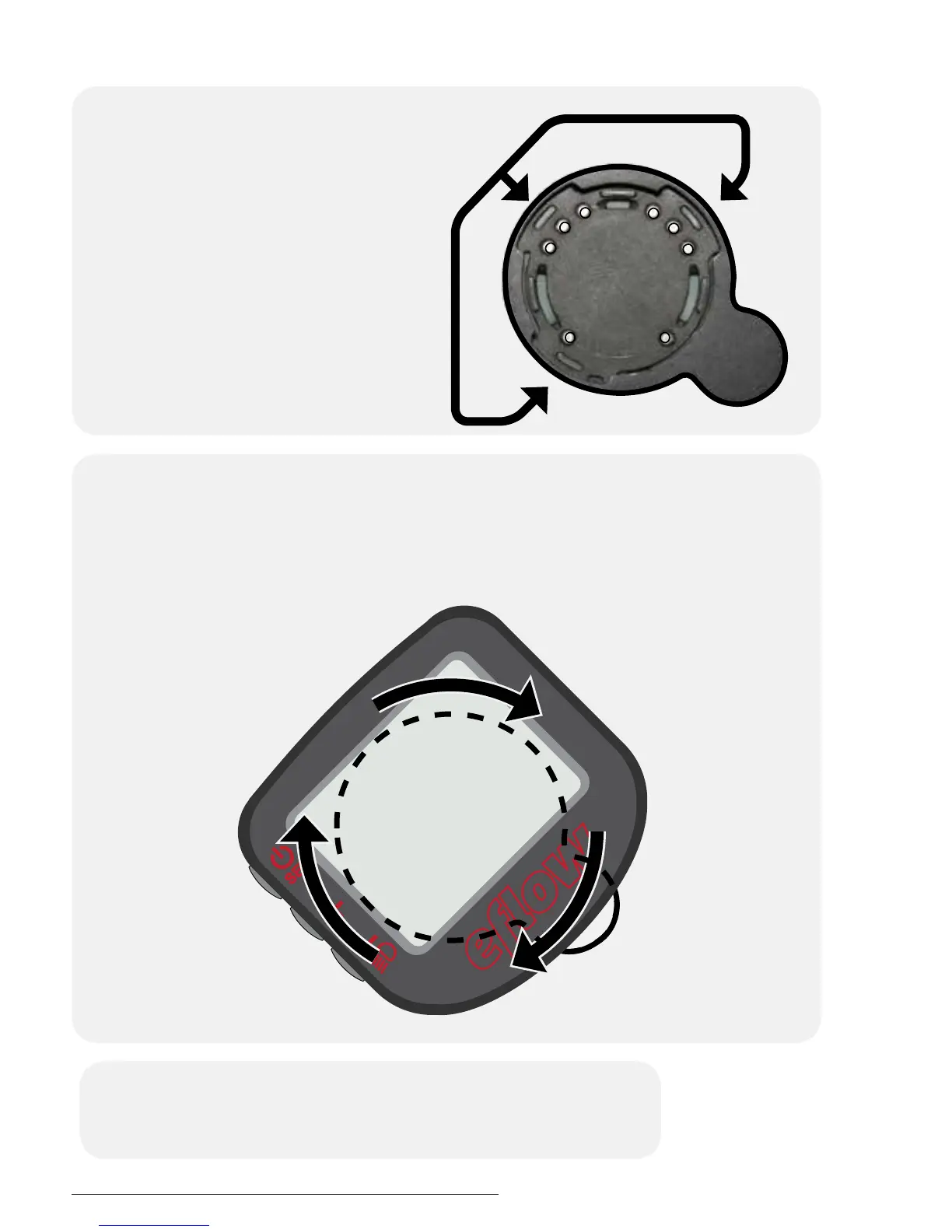
Connecting the display
2
While pushing down on the display, rotate it 45° clockwise until it
stops, parallel with the handlebars.
3
Sit on the bike, then turn it on by pressing the SET
button.
Place the display on the
handlebar display mount at
a 45° angle, aligning the tabs
on the bottom of the display
with the slots on the face of
the mount.
1
Currie Tech Technical and Customer Service: +1 800-377-4532
p. 28/52


 To Next Page