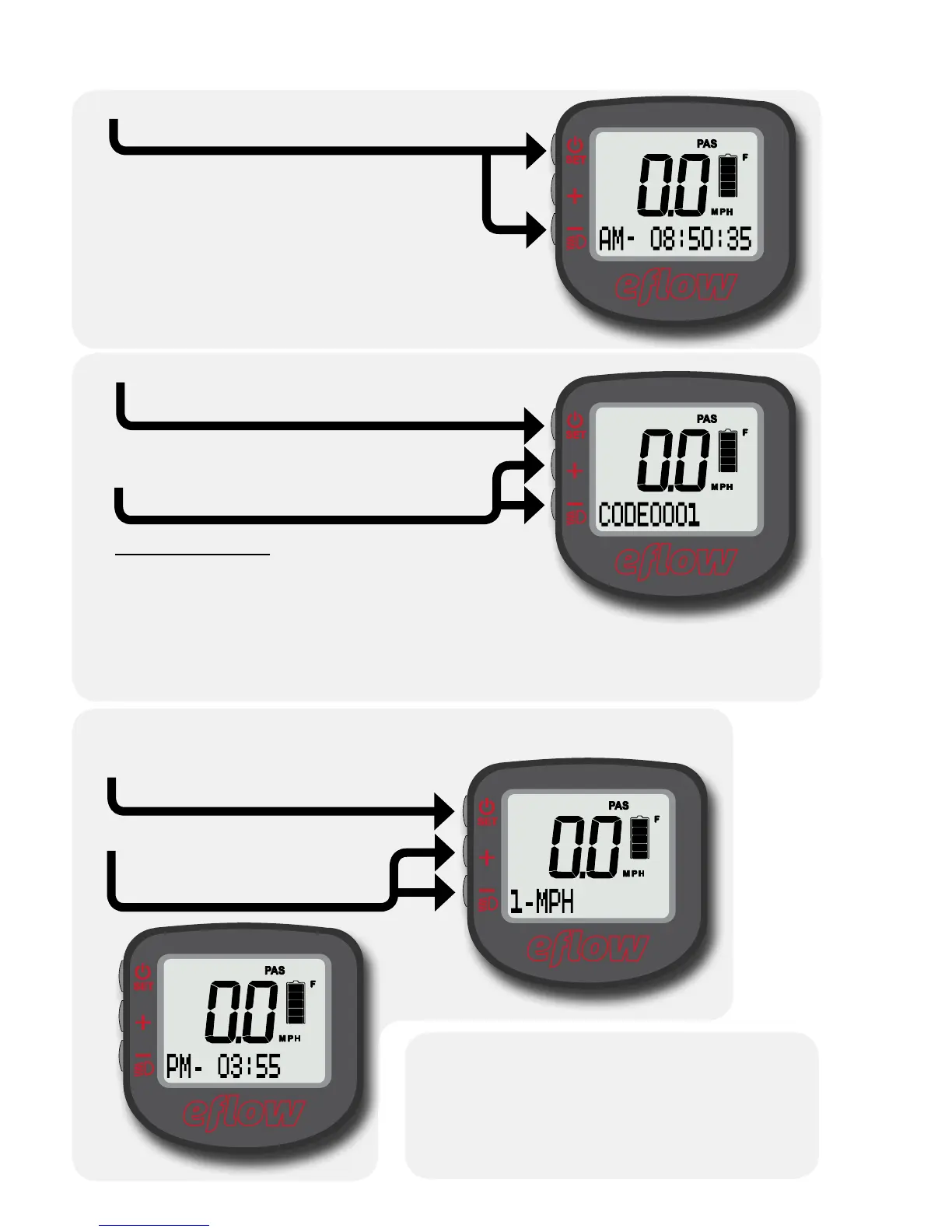
Setting the clock and speed units
Hold SET to conrm your changes.
Hold SET and “–” together to exit
the code screen and save the
changes.
4
In the setting screen,
tap SET to cycle
between characters.
Tap “+” or “–” to
change the ashing
character.
3
Hold SET and “–” together for 5
seconds to enter setup mode.
1
In setup mode, you will enter
codes corresponding to the
setting you wish to change.
Tap SET to cycle between digits. Hold
to conrm after the code is entered.
Tap “+” or “–” to set each digit
in the code.
2
Codes:
Set clock: 0001
Set speed units: 0003
Please do not experiment with undocumented codes. While other
settings exist, using them may cause the bike to become unsafe to
ride or to stop functioning altogether.
p. 29/52


 To Next Page