17
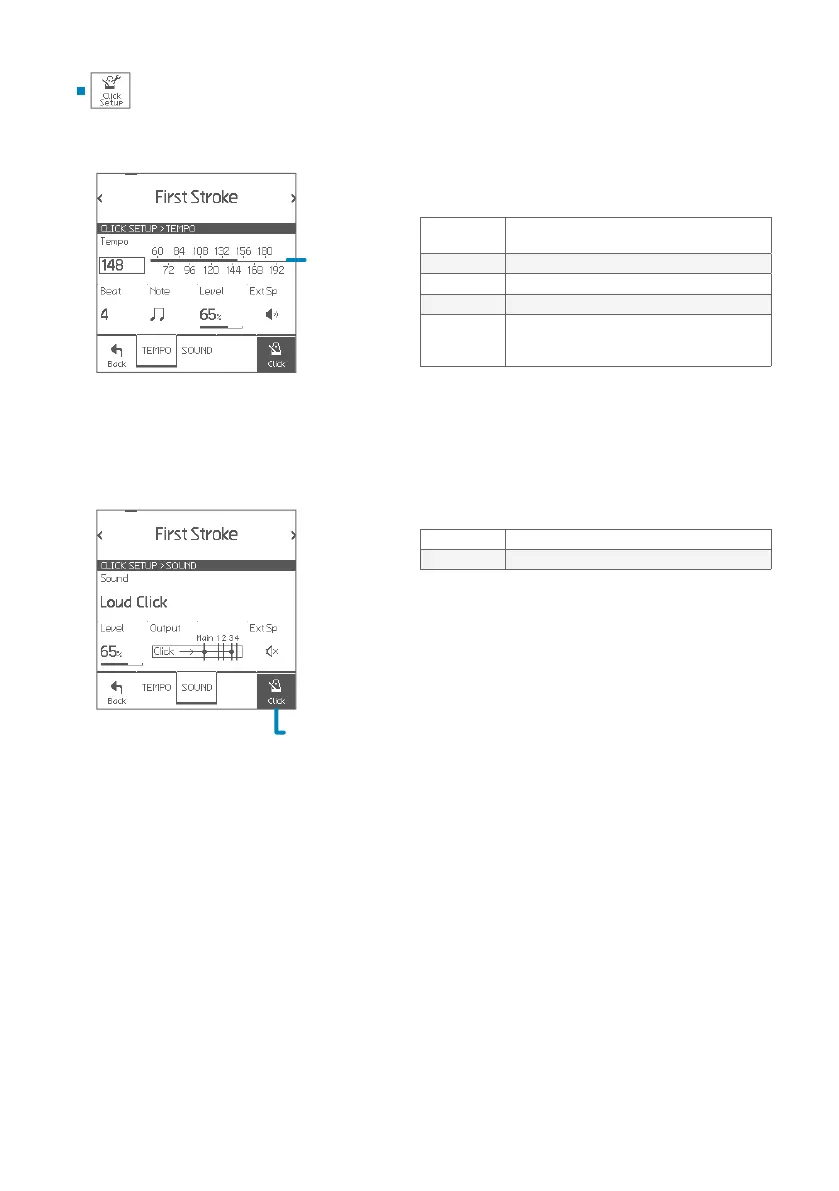
Click Setup
Touch to
set tempo
You can congure the detailed click settings.
Parameters
Tempo
Sets tempo (BPM)
• Also can be set by touching the scale.
Beat Sets beat (time signature)
Note Sets beat interval
Level Sets click level
Ext Sp
ON: Activates on-board click speaker.
• You can use EFNOTE 3/5 as a training kit
without headphones for daily exercise.
Parameters
Sound Selects click sound
Output Congures output routing
Click Setup
Turns click on/o
SOUND
TEMPO


 To Next Page