21
Bluetooth
Connecting
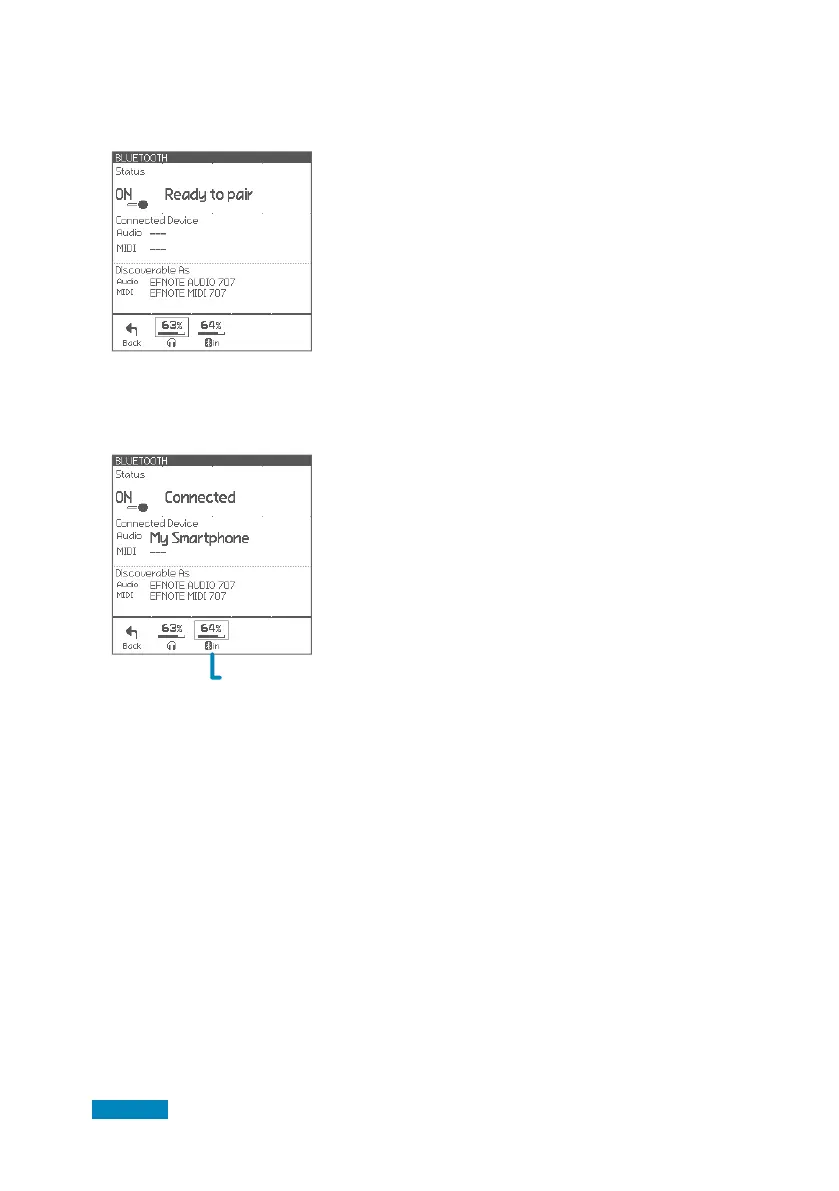
1 Make sure the status is “Ready to pair“.
If the status is “OFF”, tap it to turn on.
On your smart device
2 Turn Bluetooth on.
3 Find new device discoverable as
“EFNOTE AUDIO xxx“ or “EFNOTE MIDI xxx“
(xxx is any value), and select it.
4 If pin code is required, enter “0000” (four zeros),
and tap [Pair].
Disconnecting
1 Tap [Disconnect] on your smart device.
Re-connecting
1 Tap [Connect] on your smart device.
* About the operation of your smart device, refer to the user guide of your smart device.
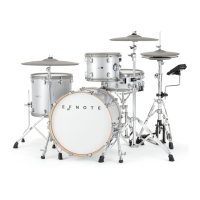
5 Make sure the status changes to “Connected”,
and your device name is displayed.
CAUTION
Be sure not to listen to audio at a high volume. It can cause permanent hearing loss.
Controls Bluetooth
input volume


 To Next Page