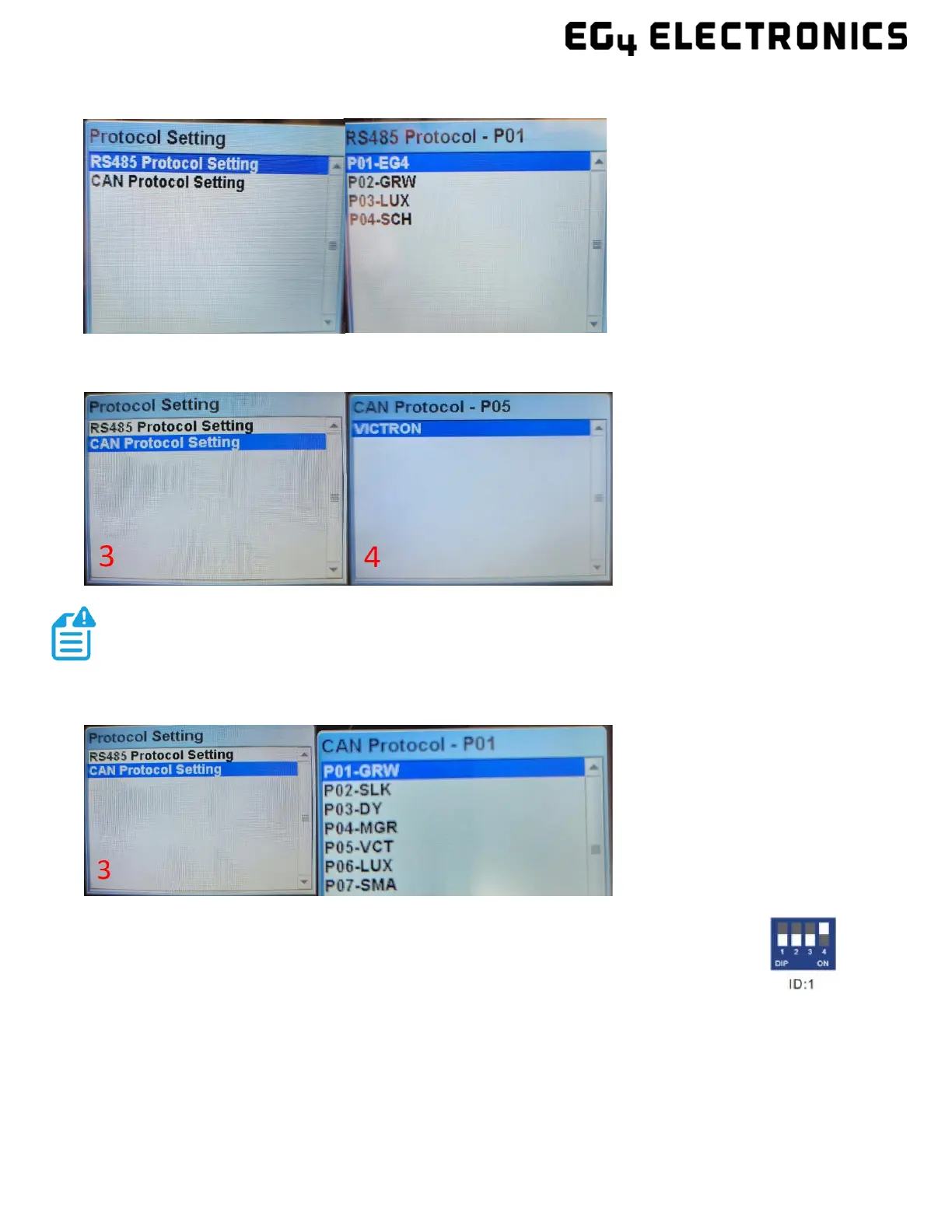
EG4 LL 24V RS485 Protocol List
EG4 LL 12V CAN Protocol List
EG4 LL 24V CAN Protocol List
5. Press the “Return” key to return to the main interface.
6. Change the host DIP switch address back to address 1. (See image on right.)
7. Power cycle the host battery, and the BMS will correspond to the protocol
selected.



 To Next Page