RT0001 Date: 08/04/20 Issue: 5 Page: 8 of 12
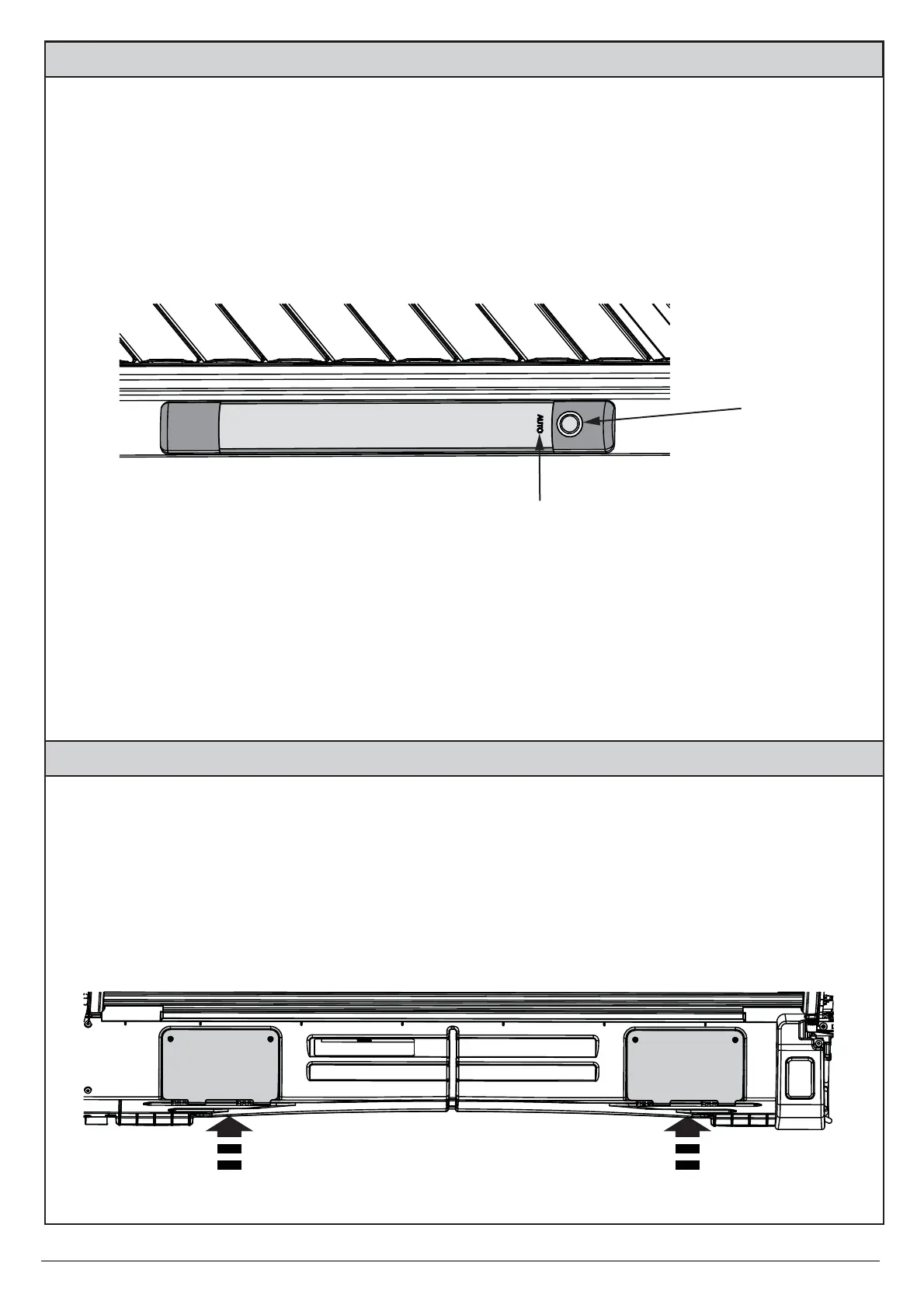
The interior light has 3 settings activated by pushing the button on the side.
Each button press cycles from:
1. AUTO (default) which turns light off 2 mins after last button press.
2. ON - Light remains on for 20 mins
3. OFF
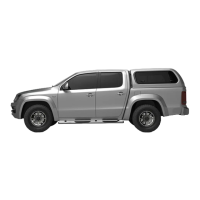
1. The canister has two or one (depending on model) inspection points for cleaning any leaves
and debris collected inside the canister.
2. With the cover open, unscrew the screws holding the inspection cover to gain access to the
canister.
3. Remove all larger debris and use a brush or hose with water to remove any small particles.
PUSH THE
BUTTON
Small blue LED
light indicates
auto mode
INSPECTION
COVER
INSPECTION
COVER
Interior Light:
Cleaning the canister:


 To Next Page