66
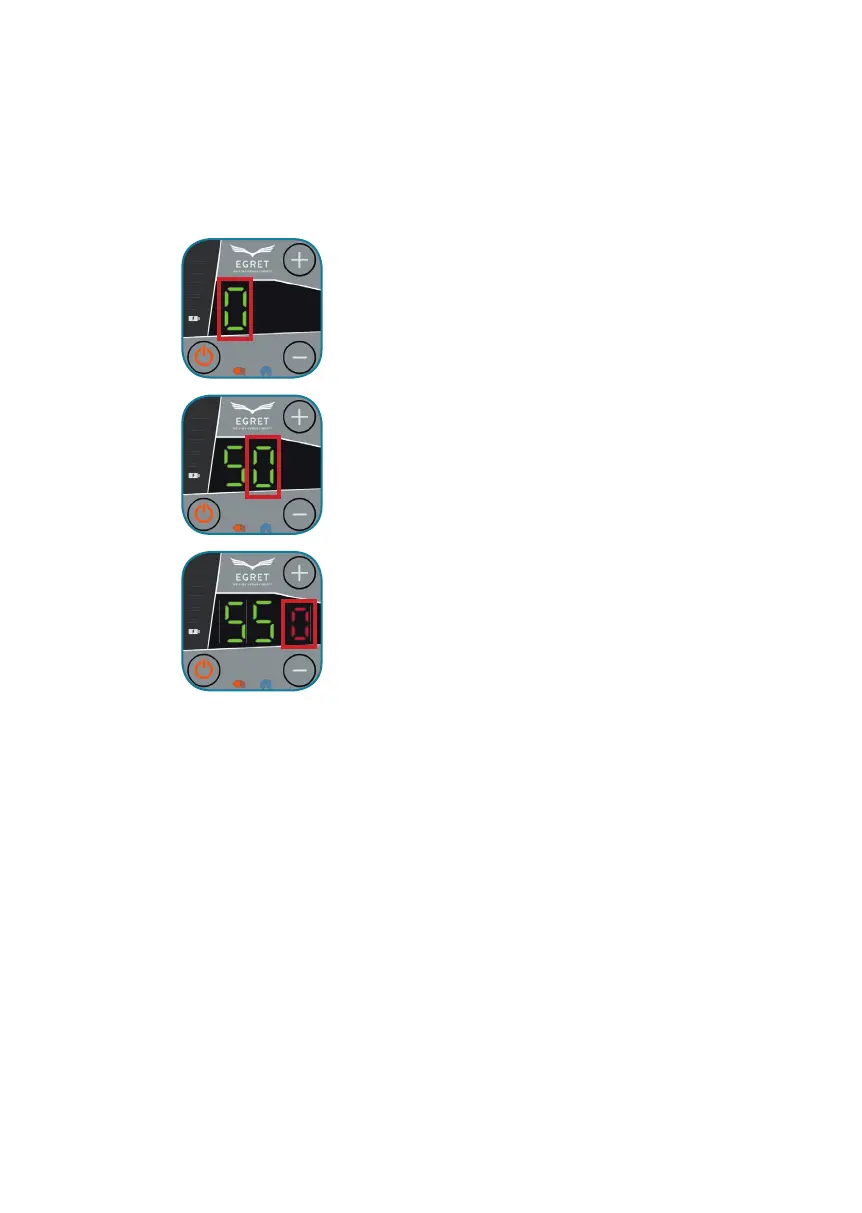
Press „+“ to increase the number,
Press „-“ to decrease the number.
Press the service button above the throttle to confi rm the entered
number.
ENTERING PASSWORD (Default: 555)
Press „+“ to increase the number,
Press „-“ to decrease the number.
Press the service button above the throttle to confi rm the entered
number.
Press „+“ to increase the number,
Press „-“ to decrease the number.
Press the service button above the throttle to confi rm the entered
number.
If the password has been entered correctly, the display switches to the
„Ready“ mode (page 65, Fig. 4).
If the wrong password is entered, the system switches o fi rst.
If you type it in wrongly several times, the system will be locked
(page 65, Fig. 3).


 To Next Page