69
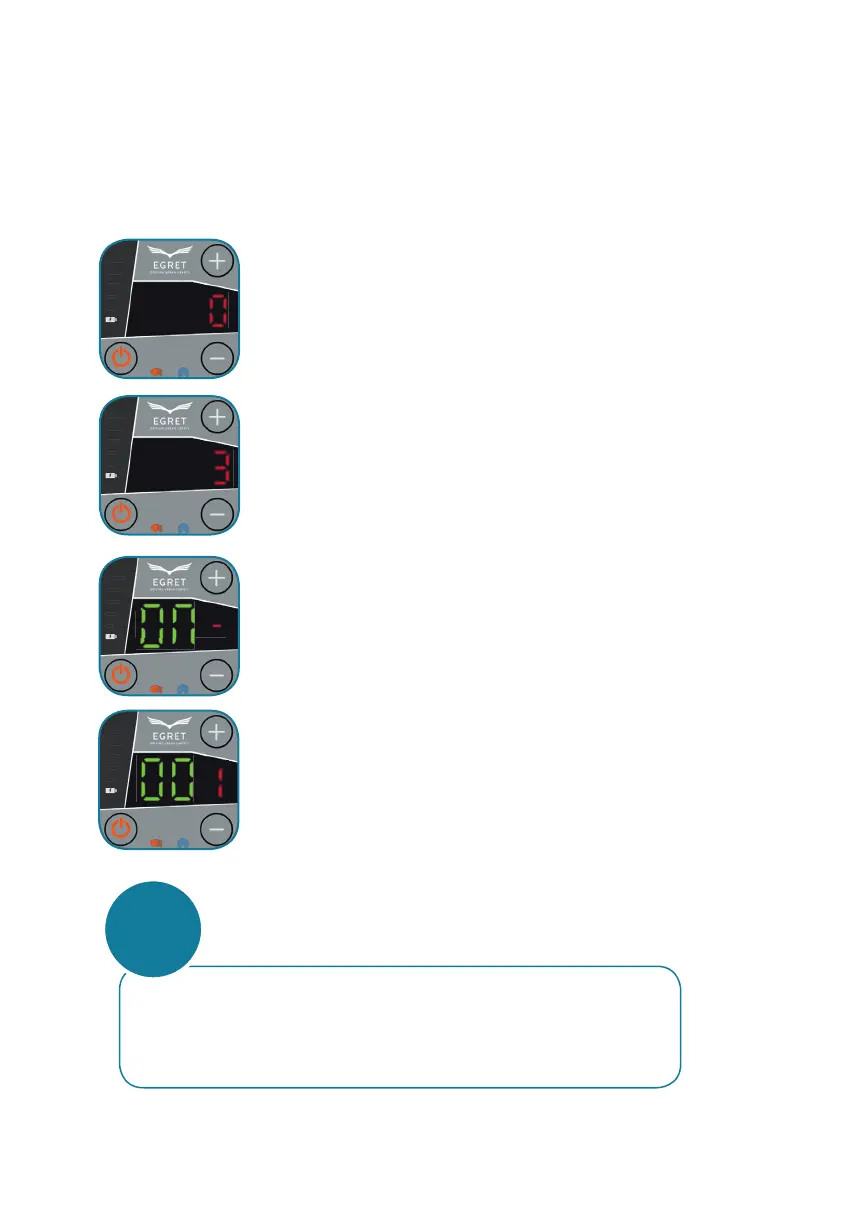
Press the service button for about 2 seconds to enter the
servie menu.
The start display of the menu is activated if a red
„0“ can be seen.
Press „+“ to get to menu point „2“.
Then press the service button again.
Press „+“ to increase the number,
Press „-“ to decrease the number.
Press the service button above the throttle to confi rm the entered
number.
Press „+“ to increase the number,
Press „-“ to decrease the number.
Press the service button above the throttle to confi rm the entered
number.
Press „+“ to increase the number,
Press „-“ to decrease the number.
Press the service button above the throttle to confi rm the entered
number and to save.
ACTIVATING CRUISE CONTROL
Press the service button for about 2 seconds to enter the
servie menu.
The start display of the menu is activated if a red
„0“ can be seen.
Press „+“ to get to menu point „3“.
Then press the service button again.
Press „+“ or „-“ to turn cruise control on (ON)
or switch it o (OFF).
Then press the service button to save and exit.
The scooter is operational.
When cruise control is activated the scooter will continue to
move even after releasing the throttle. The scooter will only
stop once the rear brake is activated.
ATTENTION



 To Next Page