68
SETTING A NEW PASSWORD
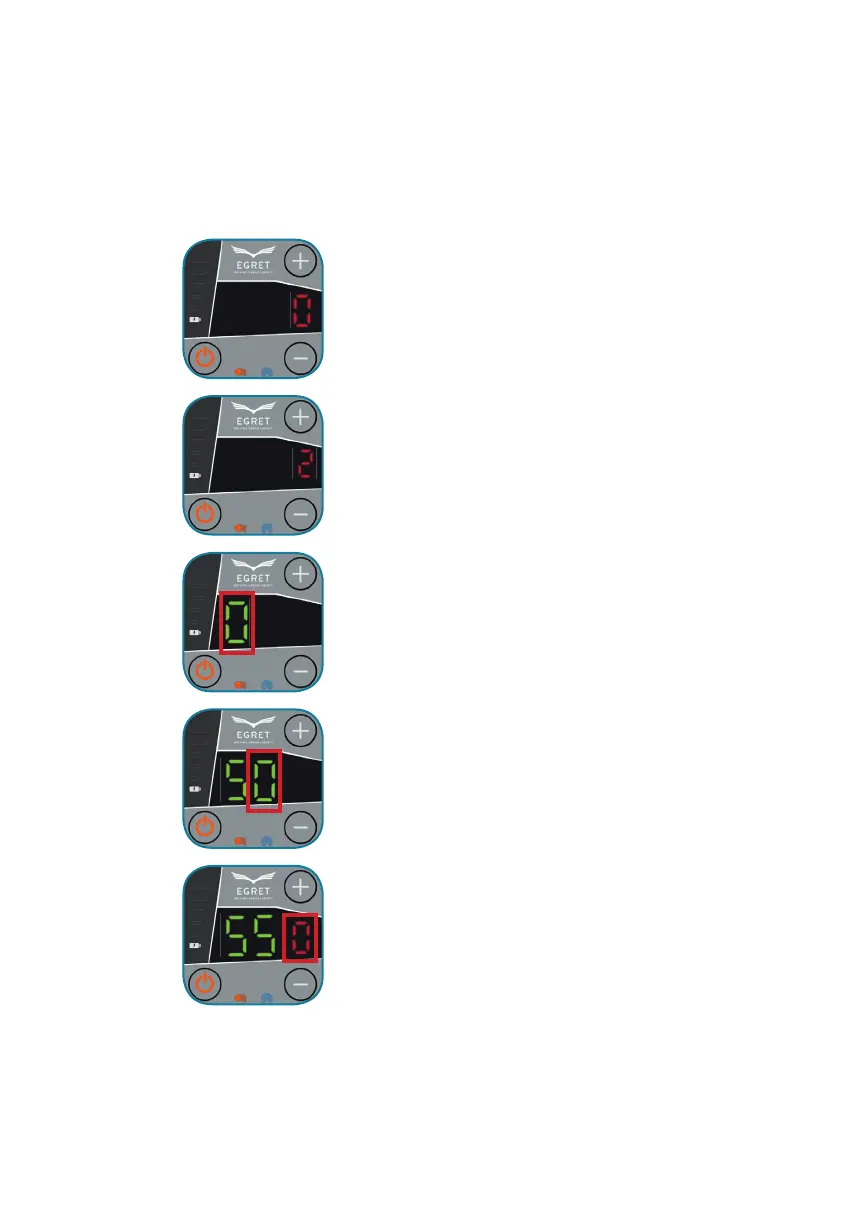
Press the service button for about 2 seconds to enter the
servie menu.
The start display of the menu is activated if a red
„0“ can be seen.
Press „+“ to get to menu point „2“.
Then press the service button again.
Press „+“ to increase the number,
Press „-“ to decrease the number.
Press the service button above the throttle to confi rm the entered
number.
Press „+“ to increase the number,
Press „-“ to decrease the number.
Press the service button above the throttle to confi rm the entered
number.
Press „+“ to increase the number,
Press „-“ to decrease the number.
Press the service button above the throttle to confi rm the entered
number and to save.



 To Next Page