67
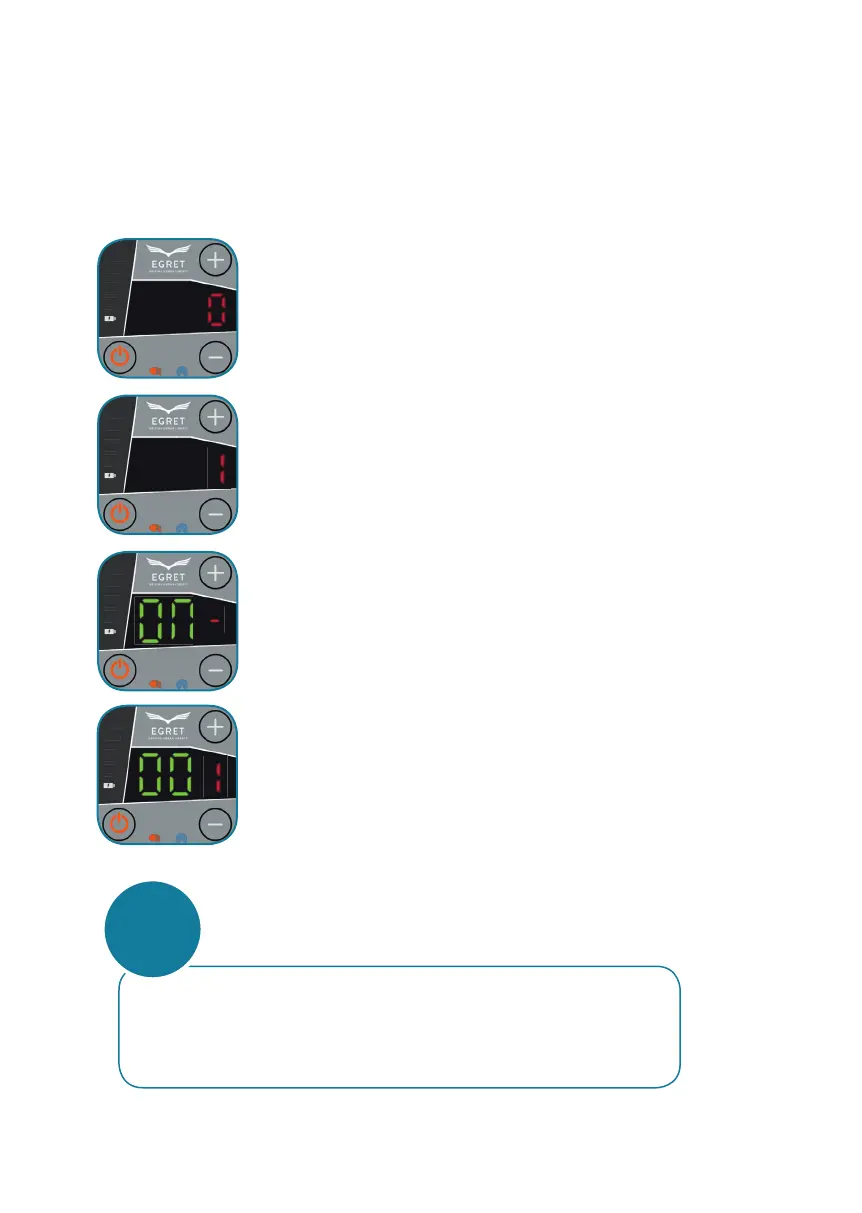
Press the service button for about 2 seconds to enter the
servie menu.
The start display of the menu is activated if a red
„0“ can be seen.
IMMOBILIZER ON / OFF
Press „+“ to get to menu point „1“.
Then press the service button again.
Press „+“ or „-“ to turn the immobilizer on (ON)
or switch o (OFF).
Then press the service button to save and exit.
The scooter is operational.
Press „+“ to increase the number,
Press „-“ to decrease the number.
Press the service button above the throttle to confi rm the entered
number.
Press „+“ to increase the number,
Press „-“ to decrease the number.
Press the service button above the throttle to confi rm the entered
number.
Press „+“ to increase the number,
Press „-“ to decrease the number.
Press the service button above the throttle to confi rm the entered
number.
If the password has been entered correctly, the display switches to the
„Ready“ mode (page 65, Fig. 4).
If the wrong password is entered, the system switches o fi rst.
If you type it in wrongly several times, the system will be locked
(page 65, Fig. 3).
Only the menu items „1“, „2“ and „3“ may be customized by
the user. All other menu items are therefore
password protected.
ATTENTION



 To Next Page