51
Charging
1. Connect the power supply unit to the socket
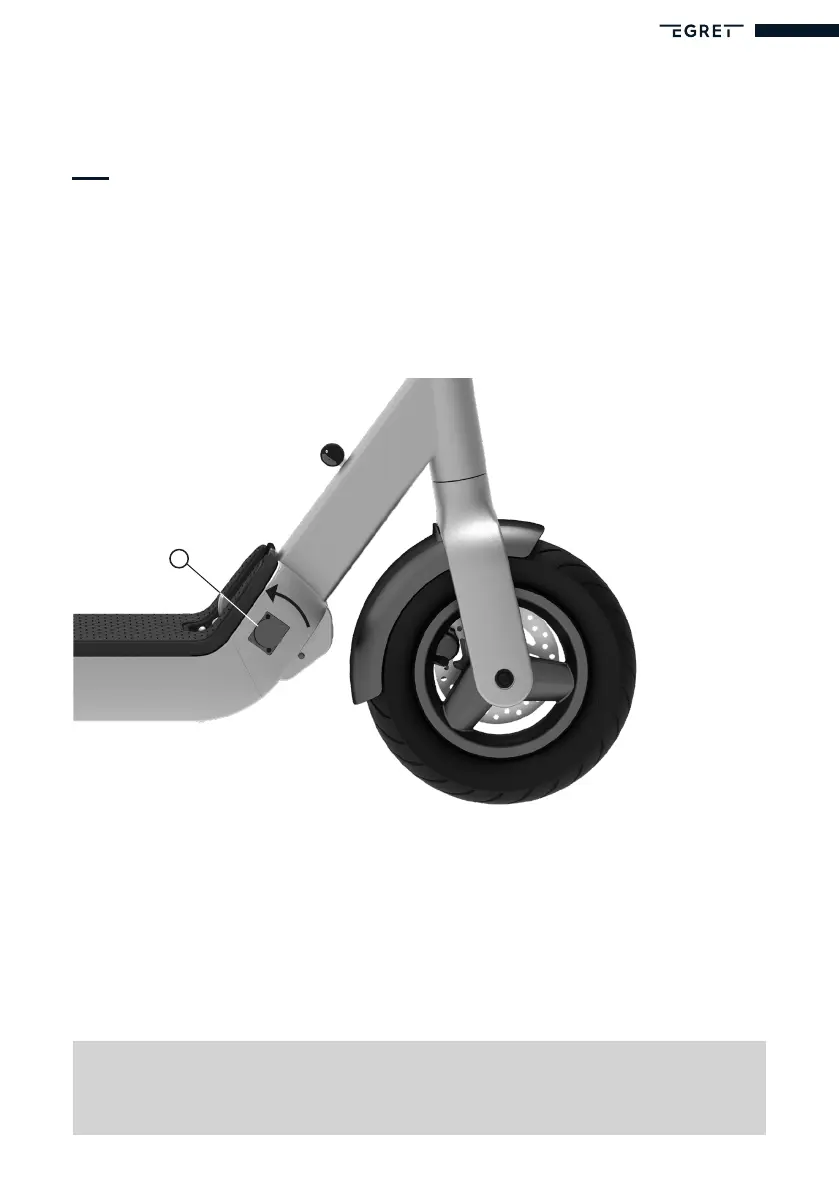
2. Open the protective cover of the charging port (K)
3. Make sure that the Egret scooter is switched off and connect the charging cable
The scooter’s charging port (K) is on the front right side of the footboard.
4. The LED on the power supply unit turns red as soon as charging starts
5. The LED on the power supply unit turns green once charging is complete
6. Unplug the charging cable from the Egret scooter
7. Close the protective cover to protect the charging port against splashes
8. Disconnect the power supply unit from the socket
Before using the Egret for the rst time, charge the battery fully using the
supplied power supply unit.
K


 To Next Page