59
Display
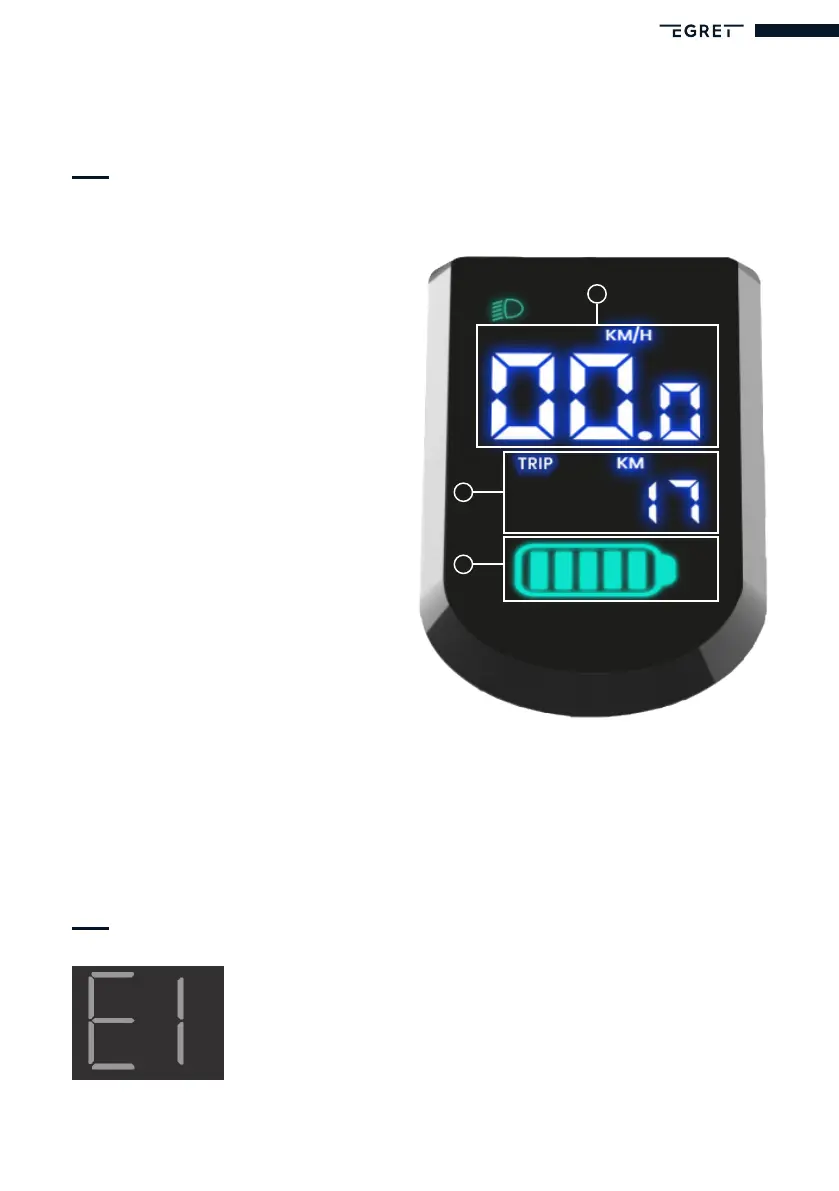
Speeddisplay
The current speed (S) is displayed as
soon as the scooter is switched on.
Mileage (ODO/TRIP)
The distance travelled (T) is shown
below the speed display.
To switch back and forth between
the total distance travelled (ODO)
and the daily distance travelled
(Trip), press the ‘Plus’ button (P) for
approx. 2 seconds.
To reset the daily distance travelled
(Trip), press the ‘Minus’ button (Q)
for approx. 2 seconds.
Battery status
The battery status (U) is displayed
below the mileage.
S
T
U
Other symbols
Error
This warning message appears on the display when an error
occurs. Please contact our service team at
www.my-egret.com


 To Next Page