58
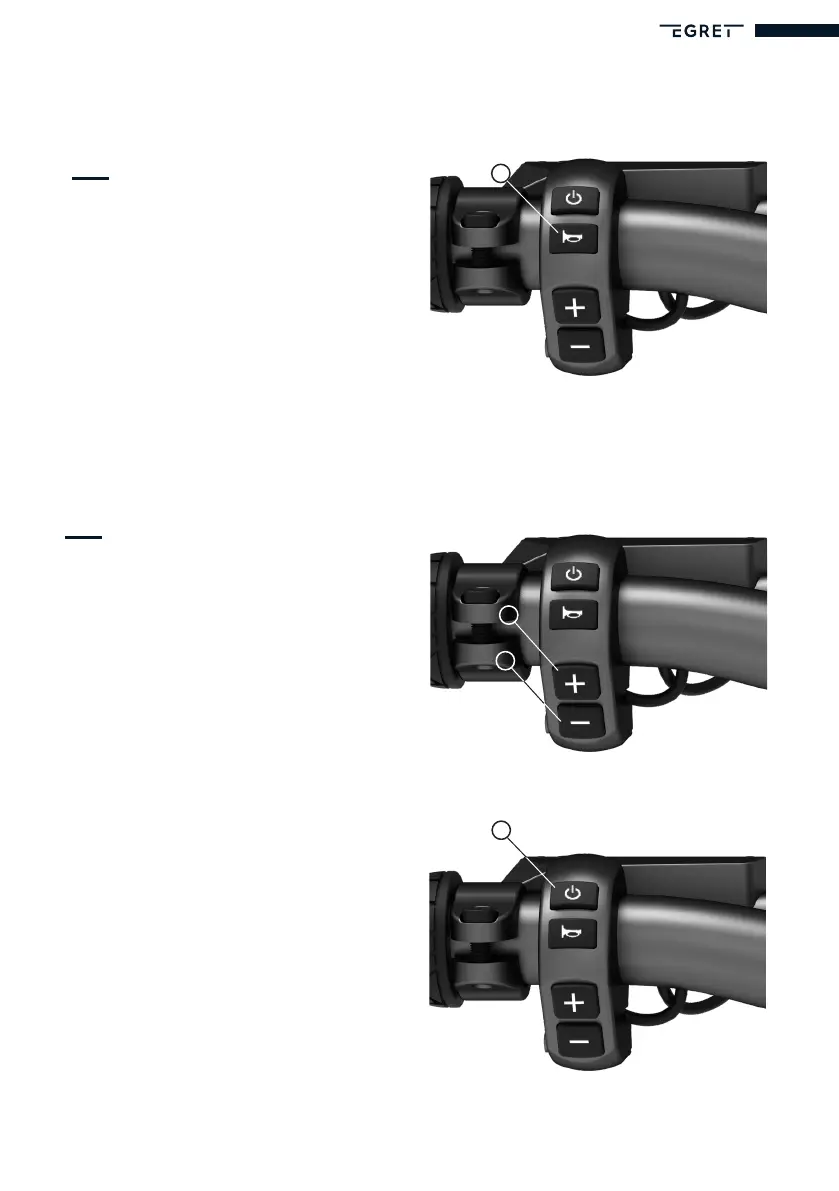
Horn
To sound the horn, press the
‘Horn’ button (R).
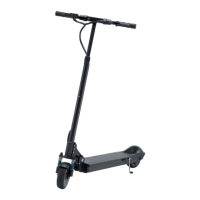
Menu
To go to the menu, press the ‘Plus’ button
(P) and the ‘Minus’ button (Q) at the same
time for around 2 seconds.
PIN entry is the same as described in the
section ‘Starting the Egret for the rst time
and entering a PIN’.
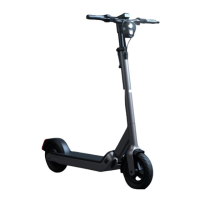
Menunavigaon
To move the cursor to the next menu item,
press the ‘On/Off’ button (L).
Exingthemenu(save)
To leave the menu and save the settings you
have made, press the ‘Plus’ button (P) and
the ‘Minus’ button (Q) at the same time for
around 2 seconds.
If you do not want to save the changes to the
settings, you can press the ‘On/Off’ button
(L) to re-start the scooter.
R
L
P
Q


 To Next Page