Preparation
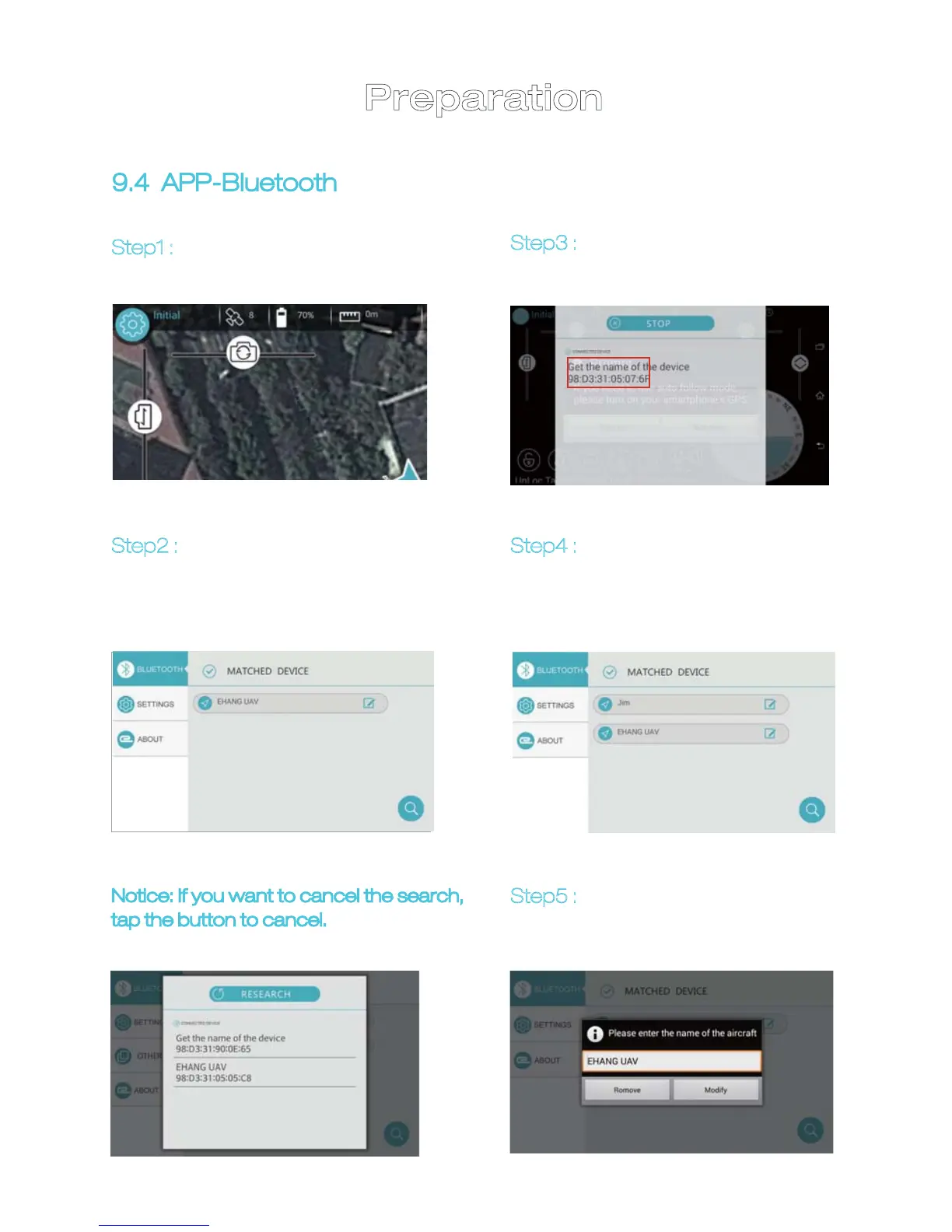
Step1 : Tap the Initial button on top
left corner to turn to setup page.
9.4 APP-Bluetooth
Step2 : Connected Bluetooth devic-
es will be shown on this page. Tap
“SEARCH” button on bottom right
corner to search for new devices.
Step3 :
When new Bluetooth
device is detected, tap to get
connected.
Step5 :
Tap the button on the right
to rename t he new Bluetooth
device.
Step4 :
New Bluetooth device is
added.
Notice: If you want to cancel the search,
tap the button to cancel.
20


 To Next Page