Preparation
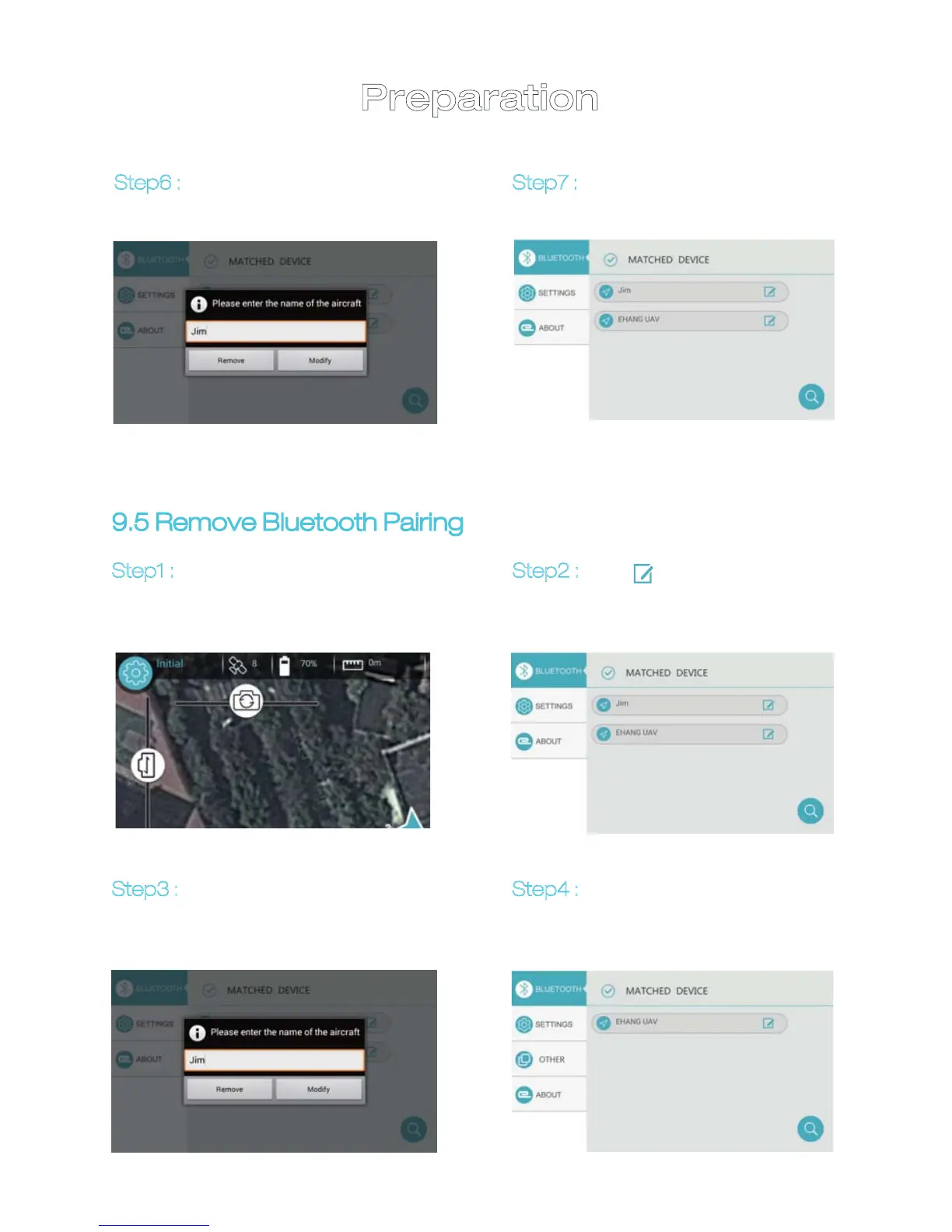
Step6 : Type in the new name
and tap “MODIFY”.
Step7 : Bluetooth device is
renamed.
Step1 :
Tap “INITIAL” button on
top left corner to turn to
Bluetooth setup page.
Step3 :
Tap “REMOVE” to remove
Bluetooth pairing.
Step4 : Bluetooth pairing is
removed.
9.5 Remove Bluetooth Pairing
21
Step2 : Tap“ ” button on the
right to turn to Bluetooth
editing page.


 To Next Page