Preparation
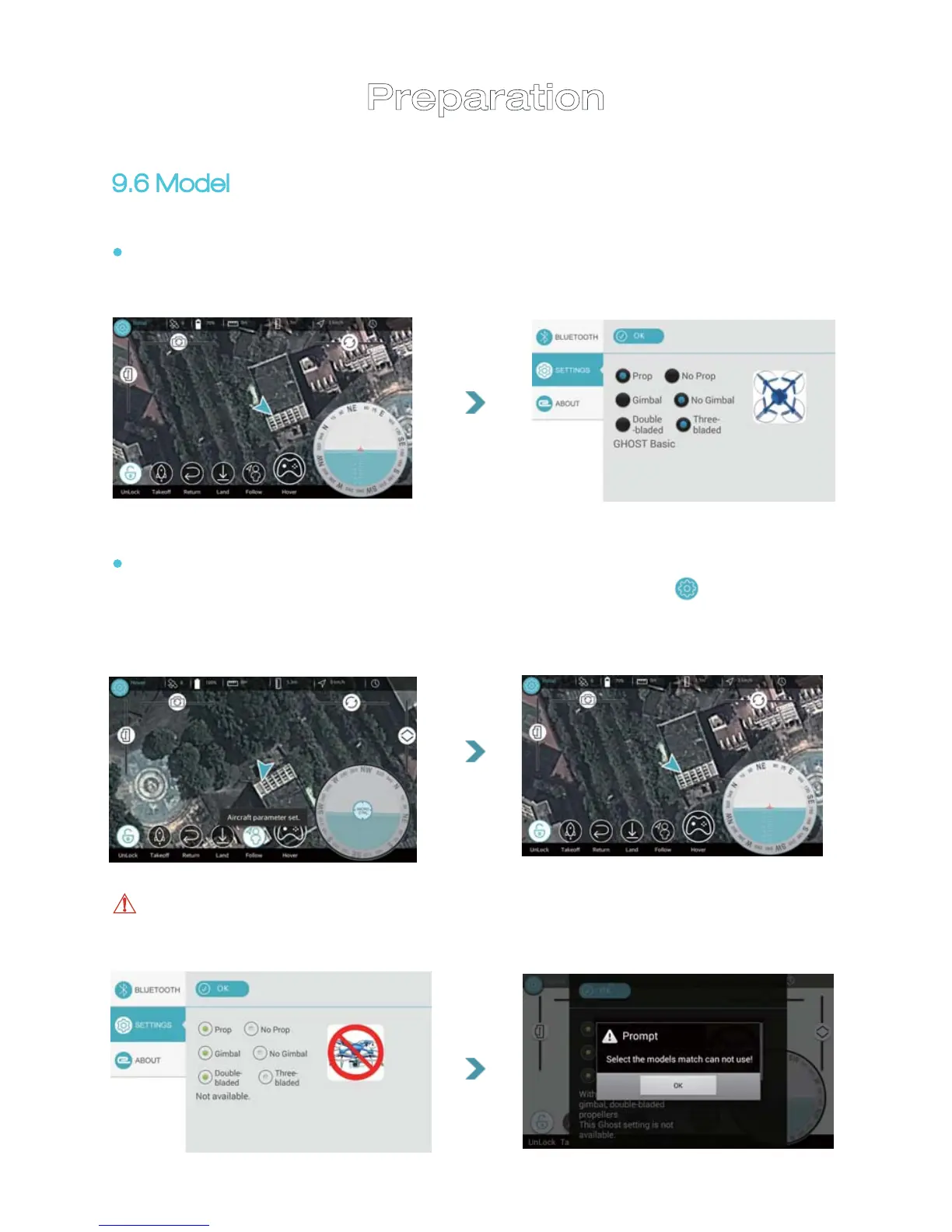
Notice: If you choose incorrect settings, you will see warning “Not
available”. In such case, tap “CONFIRM” and reset.
9.6 Model
After APP installation and Bluetooth pairing is completed, turn to the page
on the left. GHOST setting page will pop up
22
If you choose correctly, you will see “GHOST parameters set ”;
it turns to APP operation page; if you need to reset, tap “ ”button
on top left corner and choose GHOST settings(if with a certain model
recommended, you must proceed based on the GHOST actually used).


 To Next Page