Need help?
Do you have a question about the ehang GHOST and is the answer not in the manual?
Crucial safety precautions and warnings for operating the GHOST Drone.
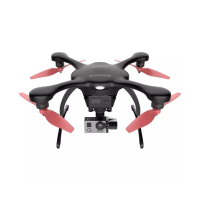
Identifies and labels all physical components of the GHOST Drone.
Lists all items included in the GHOST Drone package.
Details the components included with the GHOST BASIC drone configuration.
Details the components included with the GHOST AERIAL drone configuration.
Details the components included with the GHOST AERIAL PLUS drone configuration.
Information on the GHOST Lithium Polymer battery, connector, and charging.
Step-by-step guide and indicators for charging the GHOST Drone battery.
Instructions for correctly installing the GHOST Drone battery.
Important tips and warnings regarding battery handling, charging, and storage.
Description of the G-BOX wireless interface unit and its ports.
Explains how to power on/off and indicates G-BOX status lights.
Introduces the EHANG Sports Camera and its shooting capabilities.
Details the camera's lens, video format, resolution, and power consumption.
Instructions for camera charging, power, SD card, and recording.
Technical specifications for the GHOST drone's gimbal.
Steps for installing the camera and connecting the gimbal to the drone.
Guide for connecting the power supply to the gimbal, including wire colors.
Instructions for mounting the landing gear onto the GHOST Drone.
Information on GHOST's propellers and the meaning of propeller nut colors.
Explanation of icons indicating propeller tightening and loosening directions.
Detailed steps for installing the propellers onto the drone motors.
Instructions on how to safely remove propellers from the drone motors.
Guide for installing and securing propeller guards to the drone body.
Explains the meaning of different LED light patterns on the GHOST Drone.
Essential checks to perform before each GHOST Drone flight.
Steps to download the GHOST App for Android and iOS devices.
Guide on establishing connection between the GHOST App, G-BOX, and Drone.
First step for compass calibration using the GHOST App and smartphone.
Steps to calibrate the GHOST Drone's heading using the App interface.
Detailed instructions for rotating the GHOST Drone to complete calibration.
Steps involving tilting the drone and rotating to populate calibration dots.
Confirming compass calibration and accessing drone configuration screen.
Importance of matching app settings to drone configuration for safe flight.
Requirement for GPS satellites for GHOST Drone flight initiation.
Important notes on flight environment and initial flight setup.
Explanation of the GHOST App's status bar and its displayed information.
Details on controlling gimbal pitch/roll and drone yaw via the app.
Explains the meaning of icons in the GHOST App status bar.
Procedure for unlocking propellers for takeoff and locking them.
Steps to take off and hover at a specified altitude.
How to use the hover function and important flight considerations.
Explanation and usage guidelines for the Follow-Me flight mode.
How to use the Micro-Control function for precise altitude adjustments.
Using sliders in the app to control drone yaw and elevation.
Controlling the camera's gimbal pitch and roll via the GHOST App.
Procedure for initiating the RTH (Return to Home) function.
Steps for safely descending and landing the GHOST Drone.
Answers regarding obstacle avoidance, battery return, and app responsiveness.
FAQs about app connectivity, updates, and binding issues.
Information on warranty, customer support email, and website.
 General
| Diagonal Size (motor to motor) | 350 mm |
|---|---|
| Max. Horizontal Speed | 60 km/h |
| Operating Temperature | -10°C to 40°C |
| Battery Type | LiPo |
| Battery Capacity | 4500 mAh |
| Camera Resolution | 4K |
| GPS | Yes |
| Obstacle Avoidance | No |
| Weight | 1.2 kg |
| Charging Time | 90 minutes |

 To Next Page