39
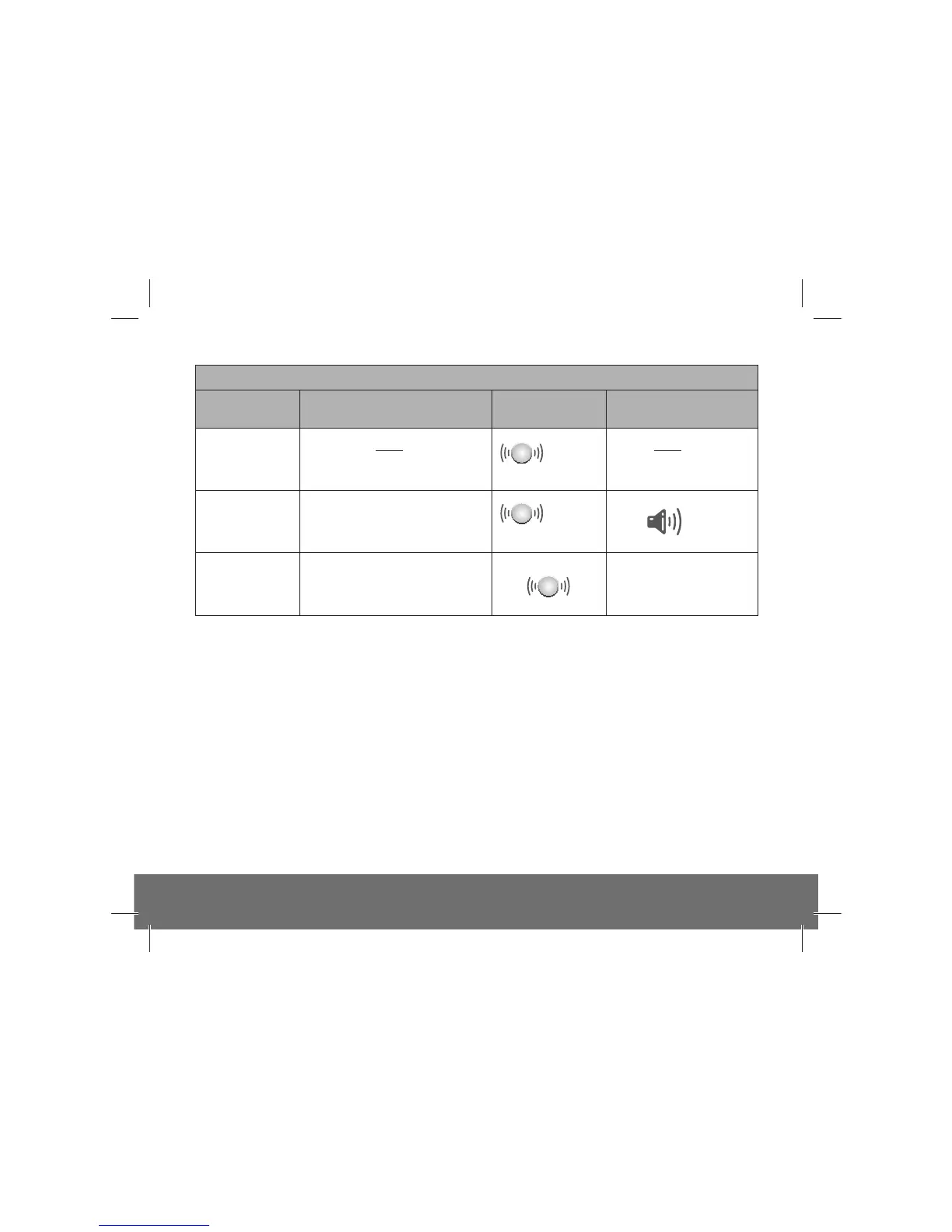
Status
every
48 sec
x2
every
8 sec
x2
To erase the
memory
Sounds until test button
is released
Keep test button pressed for >20s
Press and hold test button
Action Red LED
(alarm)
Sound
Memory mode
0-24h
>24h +
The Alarm memory is an important feature where even if the house is unoccupied during an alarm condition it warns the homeowner that
the Alarm has previously detected Fire and been in alarm.
The memory feature also helps identify the unit which has previously triggered an entire alarm system, which can also be very helpful
after the entire alarm system has gone into alarm and then stopped, for no obvious reason. Once the source alarm has been identified,
appropriate action can be taken e.g. in the case of a fire alarm event in memory, investigate the cause of nuisance / false alarms by ensuring
kitchen or bathroom doors are kept closed to prevent very hot air or steam from cookers / showers reaching the heat sensor on the Alarm,
locate the Alarm further away from the source of steam or condensation, replace the Alarm if it is thought to be defective or remove the
unit in the short term.
The memory feature has two operation modes:
- memory indication for 24 hour period after alarm.
- memory recall on demand
24-hour memory indicators: For 24 hours after alarming, the red LED will flash twice every 48 seconds (approx)
Memory recall on demand: To review the memory status at any time, press and hold the test button, the red LED will flash twice to
convey the alarm event in memory, if any.
Reset Memory: Hold down the test button for at least 20 seconds. Cover the horn with a cloth to muffle the alarm during this time.
Clearing of the memory is indicated by a 1-second-long flash of the red LED. Please note that the alarm memory will also be reset if the
Alarm is removed from its mounting plate.


 To Next Page