Need help?
Do you have a question about the Eiki LC-XB250 and is the answer not in the manual?
Describes the projector's small size and portability.
Mentions Multi-scan system for quick signal compatibility.
Highlights digital zoom and blackboard projection.
Allows selection of projection lamp brightness.
Enables immediate power disconnection without standby.
Customizes screen logo for startup or presentations.
Lists available languages for the operating menu.
Ensures projector security via key or PIN code lock.
Aids in projector maintenance for optimal performance.
Enables projector operation and management via wired LAN.
Automates input search, PC adjustment, and keystone correction.
Adjusts projected image color to match wall color.
Reduces power consumption and extends lamp life.
Displays TV program audio as text on screen.
Essential safety warnings and installation guidelines for safe operation.
Guidelines for maintaining proper ventilation to prevent overheating.
Proper placement to ensure correct operation and prevent fire hazards.
Precautions for safely transporting and handling the projector.
States compliance with FCC rules for digital devices.
Details AC power cord specifications for different regions.
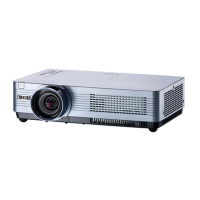
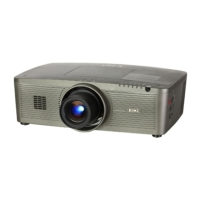
Identifies components on the projector's front.
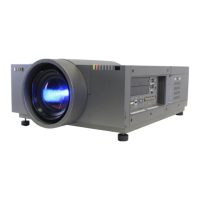
Details all input and output connectors on the rear.
Explains the buttons and indicators on the projector's top.
Identifies buttons and functions of the remote control.
Instructions for battery installation and code management.
Guide to setting up the projector for optimal projection.
Instructions for linking computers to the projector.
Steps for connecting VCRs, DVD players, etc.
How to connect component video sources.
Procedure for powering the projector.
Step-by-step guide to power cycling the projector.
How to enter and manage the projector's PIN code.
Guide to operating the projector's menu system.
Overview of the projector's main menu categories.
Instructions for tuning image focus, zoom, and audio settings.
Explains direct operation of common projector functions via remote.
Guide to choosing PC input signals (RGB, Component).
How to automatically or manually select computer system settings.
Covers Auto PC Adj, Manual PC Adj, Reset, Store etc.
Covers Image Mode Selection, Image Adjustment, Screen Size Adjustment.
How to correct image distortion caused by projector tilt.
Guide to choosing video signal inputs (Video, S-Video).
How to connect component and scart video signals.
Setting the correct video system (PAL, NTSC, etc.).
Covers Image Mode Selection and Image Adjustment for video.
Customizing video image dimensions and correcting distortion.
Configuring display language and menu layout.
Customizing automatic setup features and on-screen displays.
Personalizing startup display and securing projector functions.
Optimizing power usage and network standby configurations.
Managing timers, lamp modes, and caption display.
Configuring remote control codes for proper operation.
Setting up projector operation locks.
Procedures for entering and changing the PIN code.
Adjusting fan speed and managing filter replacement reminders.
Monitoring power usage and restoring default settings.
Checking current projector status and input signal details.
Interpreting projector status lights for troubleshooting.
Procedures for filter maintenance to ensure optimal performance.
Guidelines for cleaning the lens and cabinet.
Steps for safely replacing the projection lamp.
Critical safety information for handling high-pressure lamps.
Solutions for frequently encountered projector issues.
Detailed breakdown of menu structure and technical data.
Explains projector status based on indicator lights.
Lists compatible computer resolutions and frequencies.
Provides detailed projector technical data.
Lists of included items and available extras.
Information on PJLink compliance and filter cover installation.
Pinouts for various projector connectors.
Space to record PIN codes for security.
Detailed measurements of the projector.
 General
| Contrast Ratio | 2000:1 |
|---|---|
| Aspect Ratio | 4:3 |
| Projection Distance | 1.2 - 10 m |
| Screen Size | 30 - 300 inches |
| Display Type | LCD |
| Brightness | 2500 ANSI Lumens |
| Resolution | 1024 x 768 pixels (XGA) |
| Display Technology | LCD |
| Input Terminals | VGA (x2), S-Video, Composite Video, Audio (x2) |
| Output Terminals | VGA, Audio |
| Noise Level | 29 dBA (Eco Mode) |


 To Next Page