EasyManua.ls Logo

Eizo ElexScan EV2480 - User Manual

Eizo ElexScan EV2480
40 pages
Print Icon
To Next Page IconTo Next Page
Loading...
Important
Please read this “Users Manual, and “PRECAUTIONS” (separate
volume) carefully to familiarize yourself with safe and e󰀨ective
usage.
Refer to the “Setup Guide” for information on the installation /
connection of the monitor.
For the latest product information including the “User’s Manual”,
refer to our web site :
www.eizoglobal.com
Color LCD Monitor
Users Manual
Question and Answer IconNeed help?

Do you have a question about the Eizo ElexScan EV2480 and is the answer not in the manual?

Summary

Chapter 1 Introduction

1-1. Features

Details key product capabilities like USB-C, power delivery, flexibility, and power saving.

Chapter 2 Basic Adjustment; Setting

Chapter 3 Advanced Adjustment; Setting

3-2. Setting Menu Functions

Explains advanced functions including Color, Signal, Preference, Language, and Information settings.

Chapter 4 Administrator Settings

4-2. Functions of the “Administrator Settings” Menu

Describes functions like Auto Input Detection, Compatibility Mode, USB, On-Screen Logo, and Key Lock.

Chapter 5 Troubleshooting

5-1. No Picture

Provides solutions for issues where the monitor displays no image or shows error messages.

5-2. Imaging Problems

Addresses common display issues like incorrect brightness, blurriness, afterimages, and color inaccuracies.

5-3. Other Problems

Covers miscellaneous issues such as menu access, audio output, USB device malfunction, and power delivery.

Chapter 7 Reference

7-3. Specifications

Provides detailed technical specifications of the monitor, including panel, video, USB, audio, and power.
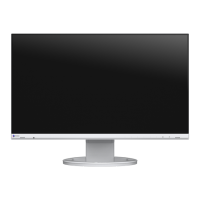

Eizo ElexScan EV2480 Specifications

General IconGeneral
BrandEizo
ModelElexScan EV2480
CategoryMonitor
LanguageEnglish

Related product manuals