6
“Bluetooth intercom disconnected”
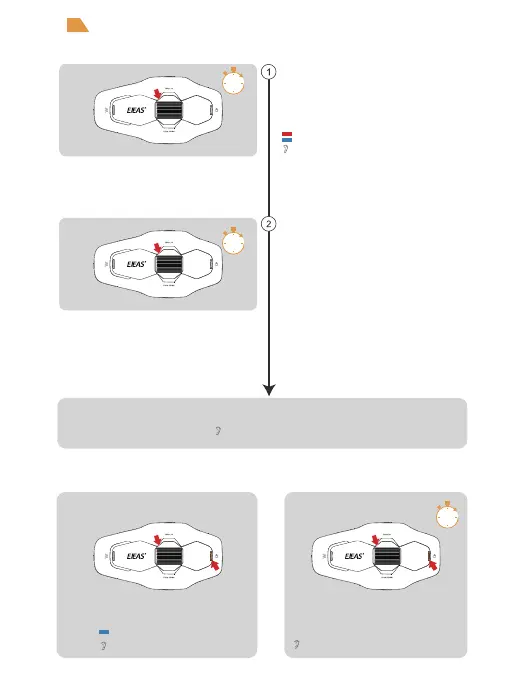
Bluetooth intercom function for two persons
Intercom Connection Intercom Disconnect
After switching on the radio, press and hold the
<Track Roller> (about 5s) until the red and blue
lights flash alternately, and there is a pairing
voice prompting ‘Bluetooth intercom pairing,
wait for connecting with other intercom.
The other intercom enters the pairing state using
the same operation, and when the two intercom
discover each other, one of them will initiate the
pairing connection.
“Pairing Success”
After a few moments, the connection was successful.
5s
5s
“Bluetooth intercom pairing”
Red and blue lights flash alternately
Blue light blinks rapidly
“Bluetooth intercom connected”
1s


 To Next Page