Sampling and testing procedure
HemoPoint
®
H2 User Manual
25
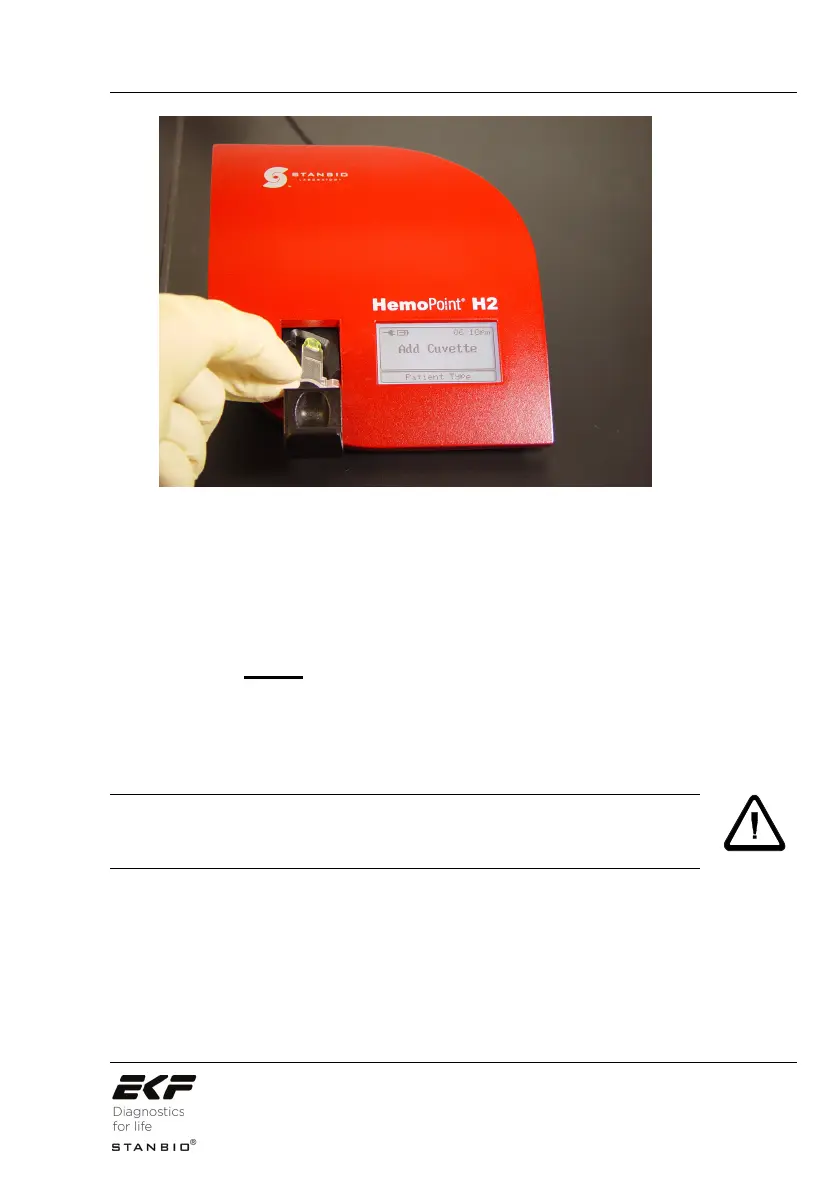
Illustration 20: Inserting the cuvette.
3. Insert the appropriate patient microcuvette (example,
Male) into the cuvette holder as shown in Illustration 20,
making sure the microcuvette is properly inserted into the
holder.
4. Push gently on the cuvette holder and it will close
automatically. DO NOT force!
5. Testing of the cuvette begins automatically (see
Illustration 21).
Ensure the cuvette holder closes completely, otherwise the
cuvette will not be positioned correctly in the analyzer and this will
cause an incorrect result.
WARNING!


 To Next Page