Sampling and testing procedure
HemoPoint
®
H2 User Manual
26
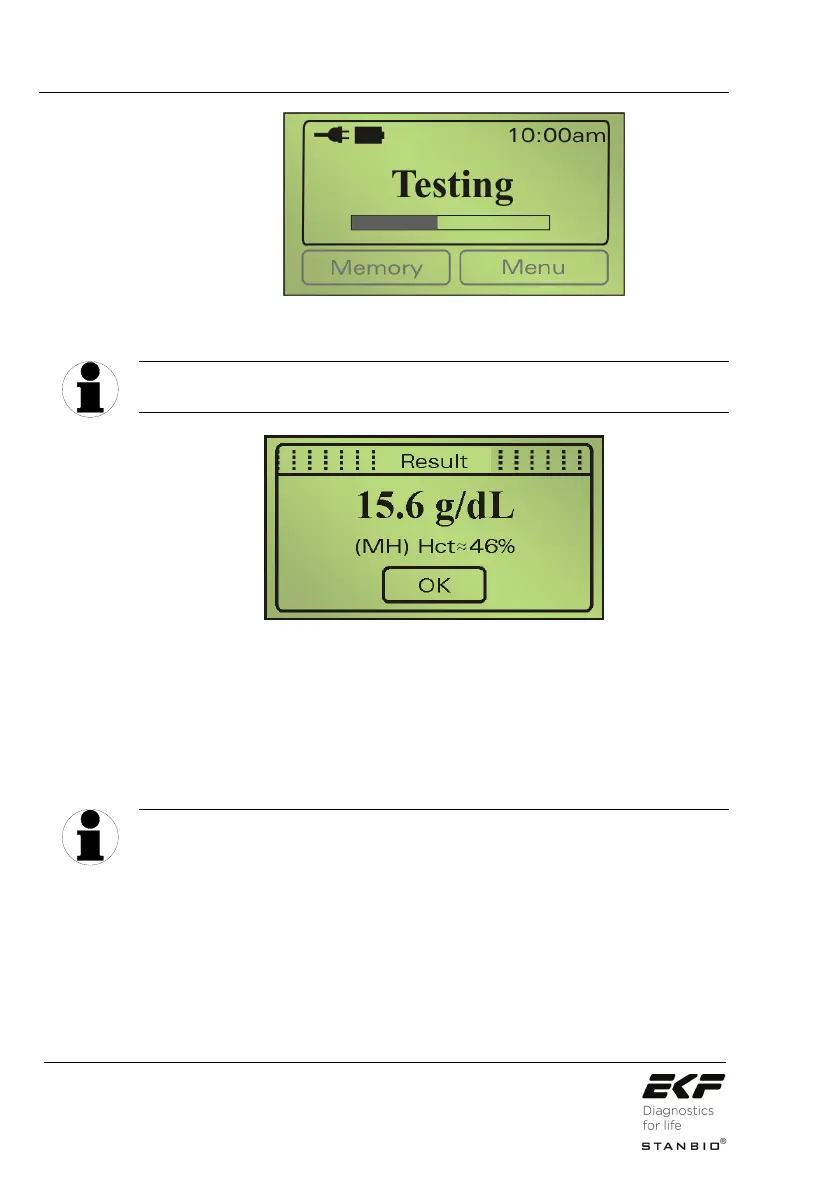
Illustration 21: Display during the testing cycle.
The testing time varies according to the hemoglobin
concentration and can take approximately 30 – 60 seconds.
Patient Types: M … Male, F ... Female, C ... Child
Symbols for exceeding Hgb-limits: H … Result above upper limit threshold
L … Result below lower limit threshold
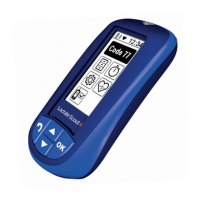
Illustration 22: Display showing the test result.
6. Read the test result.
You can now make a note of the result(s). Pressing the OK button
is not absolutely necessary. It merely produces a confirmation of
the result, while the analyzer changes to the ready mode display.
Opening the cuvette holder will start a new testing cycle.
The hemoglobin result is displayed with the selected patient type
and may be marked with an (H) High or (L) Low if the result falls
outside the selected patient normal range. An estimated
Hematocrit result will be displayed if the “Hct mode” is activated
(see Section 5.3.8.1 Hematocrit mode). The measured result(s) is
TIP
TIP


 To Next Page