5
How to Use
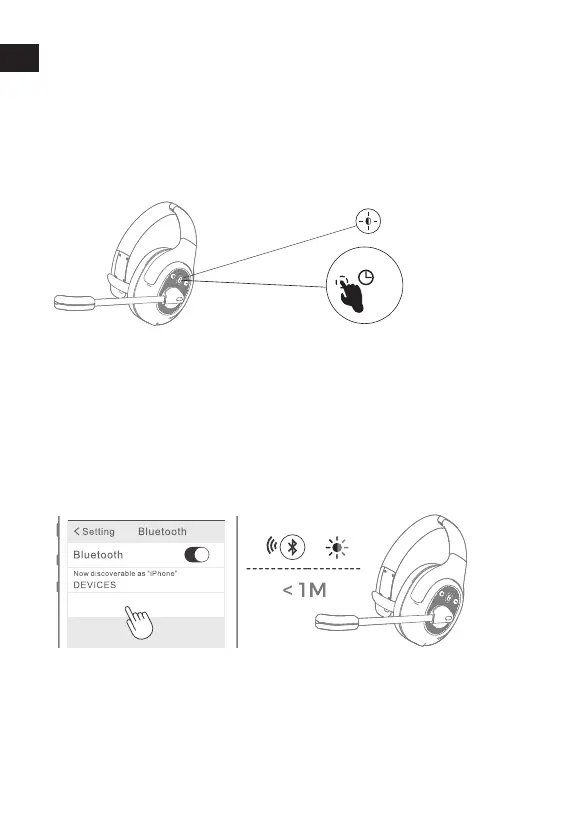
1. Long press the multi-function button of EKSA H1 for 3
seconds to enter the pairing mode, and the red and blue
lights flash alternately.
2. Turn on the Bluetooth® of the mobile phone and select
"EKSA H1" from the list of found devices. When "EKSA H1"
appears, click the pairing connection. After the connection
is successful, the LED turns to blue light flashing slowly,
you will hear the voice prompt "connected".
Bluetooth® Pairing and Connection
3″
EKSA H1
Note:Ensure that the headphones are within 1m range of your smartphone and that
Bluetooth® is activated on the head- phones when performing this procedure.
3. If you want to pair the headset with another device when
already paired, you need to turn off the Bluetooth®
on the current connected device. then connect head-
phones with the second device as above. it can't support to
connect with two Bluetooth® devices simultaneously.


 To Next Page