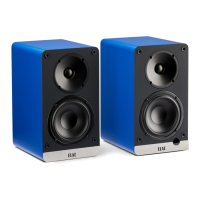
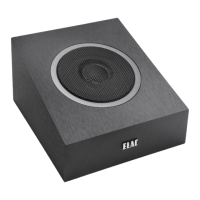
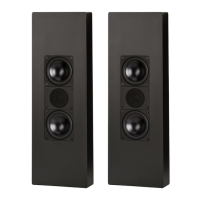
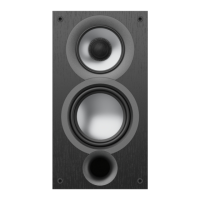
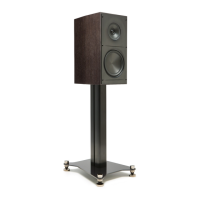
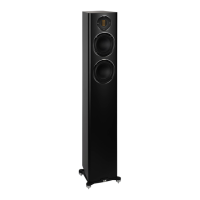
The ELAC DEBUT ConneX DCB41 is a pair of powered bookshelf speakers designed to provide high-quality audio reproduction with a variety of input options and user-friendly controls. These speakers are part of ELAC's "The life of sound" philosophy, emphasizing a rich and immersive listening experience. The system consists of an active speaker, which houses the amplifier and control panel, and a passive speaker, which connects to the active unit via a supplied speaker cable.
Function Description:
The primary function of the ELAC DEBUT ConneX DCB41 is to serve as a versatile audio system for various applications, including home theater, computer audio, and turntable setups. The active speaker integrates a stereo amplifier, eliminating the need for a separate receiver or amplifier. It offers a wide range of connectivity options, allowing users to connect multiple audio sources simultaneously. The system is designed to deliver clear, detailed, and powerful sound, enhanced by features like XBass for improved low-frequency performance.
Usage Features:
Connectivity:
The DCB41 speakers boast extensive connectivity options to accommodate diverse audio sources:
- HDMI (ARC) Input: This allows for a direct connection to a television, enabling the TV remote to control power, mute, and volume of the speakers. This feature simplifies the home theater setup and enhances user convenience.
- USB Audio Input: A USB Type B port (printer cable) facilitates connection to computers, laptops, and other USB audio devices, providing a high-quality digital audio path.
- Optical Input: For digital audio sources without HDMI ARC, the optical input offers another high-fidelity connection option, commonly found on TVs, gaming consoles, and CD players.
- Phono/Line Input: This versatile input can be switched between Phono and Line level. The Phono setting includes a built-in pre-amplifier, making it compatible with turntables that lack their own pre-amp. If a turntable has an integrated pre-amplifier, the input can be set to Line. A ground screw terminal is also provided for turntables to reduce residual noise.
- Bluetooth Connectivity: The speakers feature Bluetooth with aptX technology, allowing for wireless streaming from smartphones, tablets, and other Bluetooth-enabled devices. Pairing is straightforward: the BT LED flashes when no device is paired, and "ELAC DCB41" becomes visible for selection. Pairing can also be initiated by pressing and holding the BT source button on the remote or the rear volume knob on the speaker when in BT input.
- Subwoofer Output: An RCA output is available for connecting an external powered subwoofer, allowing users to extend the low-frequency response of the system for a more impactful bass experience.
- Speaker Output: The active speaker connects to the passive speaker via a dedicated speaker output, ensuring synchronized audio delivery. An L/R switch allows users to designate whether the active speaker acts as the left or right channel, offering flexibility in speaker placement.
- AC Mains Inlet: The system is powered via a standard AC mains connection (120-240V~50/60Hz).
Controls:
The DCB41 offers multiple ways to control its functions:
- Volume Knob (on active speaker): This multi-functional knob allows users to:
- Rotate: Increase or decrease the volume.
- Push: Turn the unit on (when off), change input (when on), or initiate Bluetooth pairing (press and hold in BT input).
- Remote Control: A comprehensive remote control provides access to all major functions:
- Power ON/OFF: Turns the unit on or off.
- BT Source: Selects the Bluetooth input.
- XBass: Activates or deactivates the XBass feature.
- Previous/Next (BT): Navigates tracks during Bluetooth playback.
- Adjust LED Intensity: Controls the brightness of the front LED indicator.
- Optical Source: Selects the optical input.
- USB Source: Selects the USB input.
- Phono Source: Selects the Phono/Line input.
- Mute: Silences the audio output.
- Volume Up/Down: Adjusts the volume.
- HDMI Source: Selects the HDMI (ARC) input.
- Front LED Indicator: The LED on the front of the active speaker changes color to indicate the currently selected input:
- Blue: Bluetooth (BT)
- Green: HDMI
- White: USB
- Red: Optical
- Pink: Phono
Special Features:
- XBass: This proprietary circuit boosts low-frequency performance, providing a fuller and richer bass response. It can be turned ON/OFF by pressing and holding the XBass button on the remote for two seconds (LED blinks once for ON, twice for OFF). When ON, pressing XBass cycles through its settings. If a subwoofer is connected, XBass can be completely turned OFF.
- Power/Standby: The unit automatically enters standby mode after 15 minutes of inactivity. It can be woken up by pressing or rotating the volume knob or by pressing the power button on the remote.
Maintenance Features:
The manual emphasizes several important points for the safe and optimal use of the speakers:
- Safety Instructions: Users are advised to read and follow all safety instructions, keep them for future reference, and observe all warnings on the speaker and in the manual.
- Inspection: Before use, check the speakers for any damage to ensure they are in perfect working condition, as damaged parts could lead to personal injury.
- Proper Connection: Connect the speakers strictly according to the instructions provided in the manual.
- Stability: Ensure the product is perfectly stable to prevent tip-over injuries. If equipped with spikes or anti-slip feet, use them for leveling on uneven floors by unscrewing them 2-3 turns. The speaker must maintain perfect vertical alignment, and its stability should not be compromised. Spikes can increase stability on carpeted surfaces but should be handled carefully due to their sharp ends. On slippery floors, Velcro fastening tape or double-sided adhesive tape can enhance stability.
- Location Considerations:
- Install speakers on a level surface only.
- Avoid direct sunlight, very humid environments, areas prone to vibrations, or exceptionally hot or cold locations.
- Keep speakers away from CRT televisions, as they are not magnetically shielded and may cause color issues.
- Avoid placing speakers near magnetic cards (e.g., credit cards) as this could cause them to fail.
- Do not install near heat sources like radiators, heating valves, stoves, or other heat-producing apparatus, or in areas with explosion risk.
- Ensure proper ventilation; do not block any openings or install in closed racks or cupboards.
- Do not place burning candles on or near the speakers.
- Avoid installation near transformers, as electromagnetic stray fields can cause hum noise on woofers.
- Be aware that anti-slip feet or spike washers, in combination with certain materials or lacquers, may cause colored imprints on surfaces.
By adhering to these guidelines, users can ensure the longevity and optimal performance of their ELAC DEBUT ConneX DCB41 speakers while maintaining a safe listening environment.

 Need help?
 General

 To Next Page