Industrial Edge Computing Gateway EG500
ELASTEL TECHNOLOGY CO., LTD.
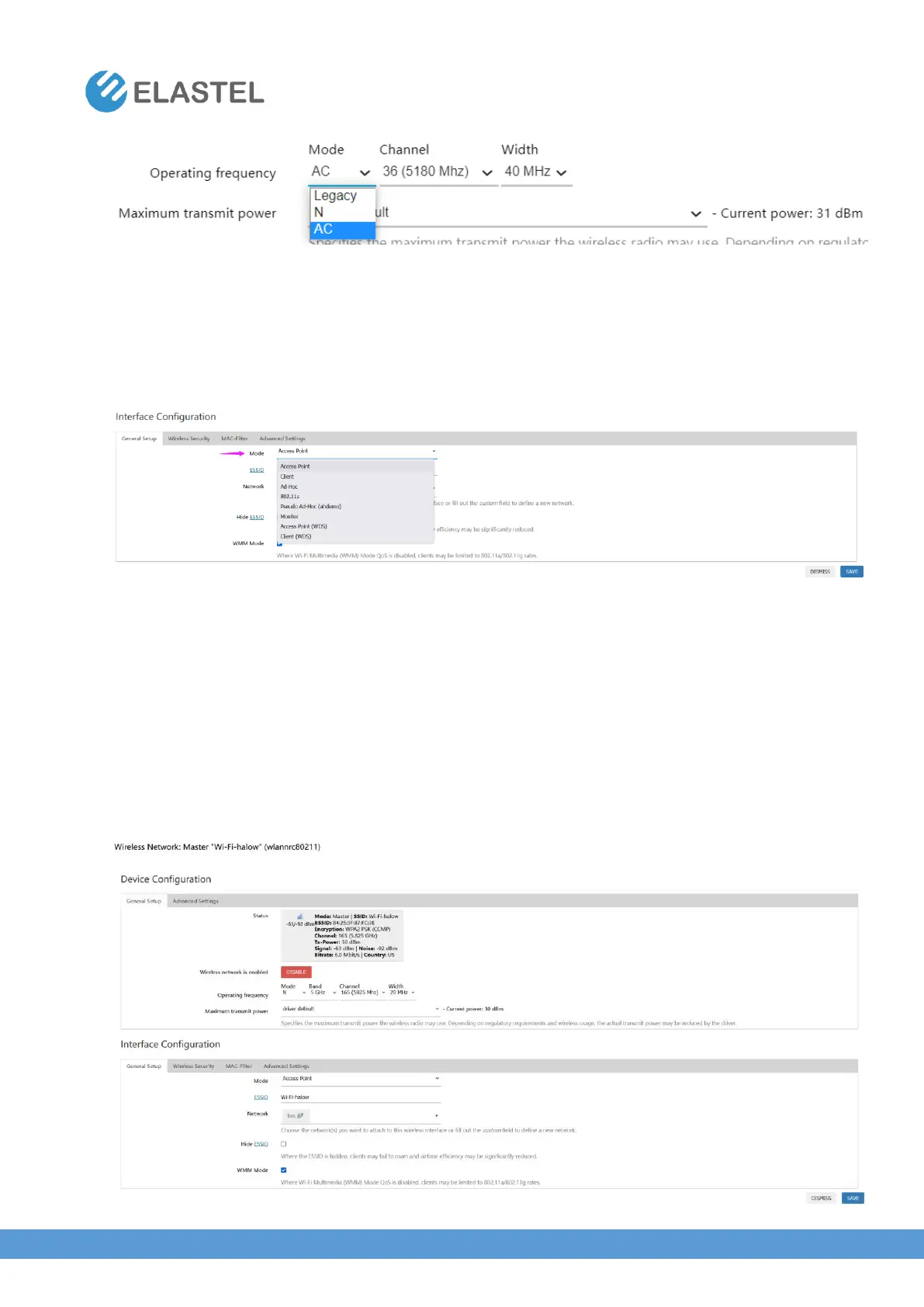
In Interface Configuration, you can set EG500 as different mode like Access Point, Client….and
others.
Also set the encryption methods and secuirty key in “Wireless Security” label, and other
“Advanced Settings”
3.5.3 WiFi HaLow Settings (EG500 WiFi HaLow Version)
ElastOS integrated the 802.11ah WiFi HaLow Settings like regular 802.11 b/g/n/ac WiFi.
To enable the 802.11ah WiFi, you need set the Mode as “N” Band as “5GHz”, and the default
Channel as 165.
Please check the WiFi HaLow setting instruction for more details.


 To Next Page