Controls & Functions
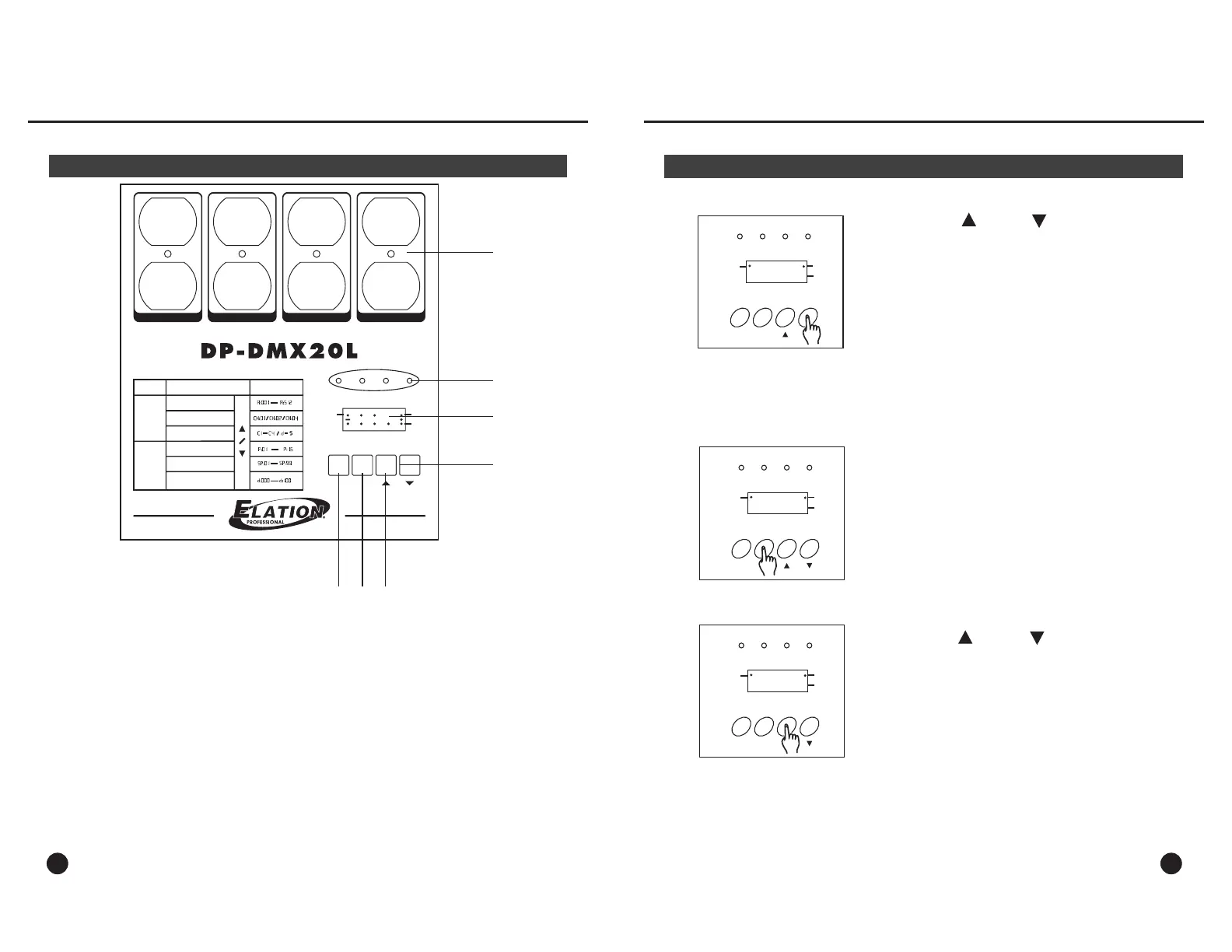
Front Panel Layout
3
6
5
4
8888
DMX Signal
MODE
1432
MENU
Receive
Chase
4321
OUTPUT: 10A/CH , TOTAL 20A Max.
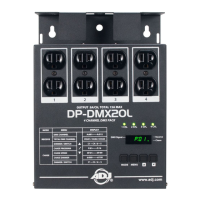
4 CHANNEL DMX PACK
1
2
3
7
TOTAL DMX CHANNEL
DMX CHANNEL
CHASE PROGRAM
CHASE SPEED
CHASE DIMMER
MODE
MENU
DISPLAY
RECEIVE
CHASE
DIMMER / SWITCH
1. Edison Output Sockets (1-4):
These are dual 120V. Edison sockets. Each socket is labeled with the packs
relevant channel number. Up to 10 amps can be connected into each channel.
2. Channel LED’s (1-4): These LED’s display relevant channel intensity & activity.
3. LED Display: Shows the current DMX channel and function mode- including
a DMX signal indicator. All set up functions are accomplished through display.
4. Mode Button:
The mode button is used to select between receive and chase mode. When in
receive mode, the pack will respond to DMX. When in chase mode, the pack
can be set to chase any of the internal 16 chase programs.
5. Menu Button: The menu button is used to set up the packs characteristics.
MODE
MENU
143
2
Operation Guide
8
Receive (DMX) Mode Cont.
4. Press the up or down buttons to
change the total DMX channel setting. Set to
“ if you wish to set the device as a one
channel pack- all four channels will activate via
the packs set DMX address channel. Set to
if you wish to set the device as a two
channel pack- channels1&2will activate via the
packs set DMX address channel and channels
3 & 4 will activate by the next DMX channel in
sequence. Set to if you wish to set the
device as a four channel pack- each of the packs
channels will individually be controlled via its own
DMX channel starting with the set DMX address
channel.
Ch:01”
“Ch:02”
“Ch:04”
CH:02
DMX Signal
Receive
Chase
MODE
MENU
143
2
5. Press the MENU button to access dimmer /
switch settings. The display will show “
or
C1-d”
“C1-S”. Note: All packs are set to dimmer
mode at the factory.
C1-d
DMX Signal
Receive
Chase
MODE
MENU
143
2
6. Press the up or down buttons to change
between dimmer / switch modes. Once set, press
the MENU button to confirm and advance to
the following channel settings. Repeat these steps
for all four channels. When complete, the DMX
channel address setting will show in the display.
C1-S
DMX Signal
Receive
Chase



 To Next Page