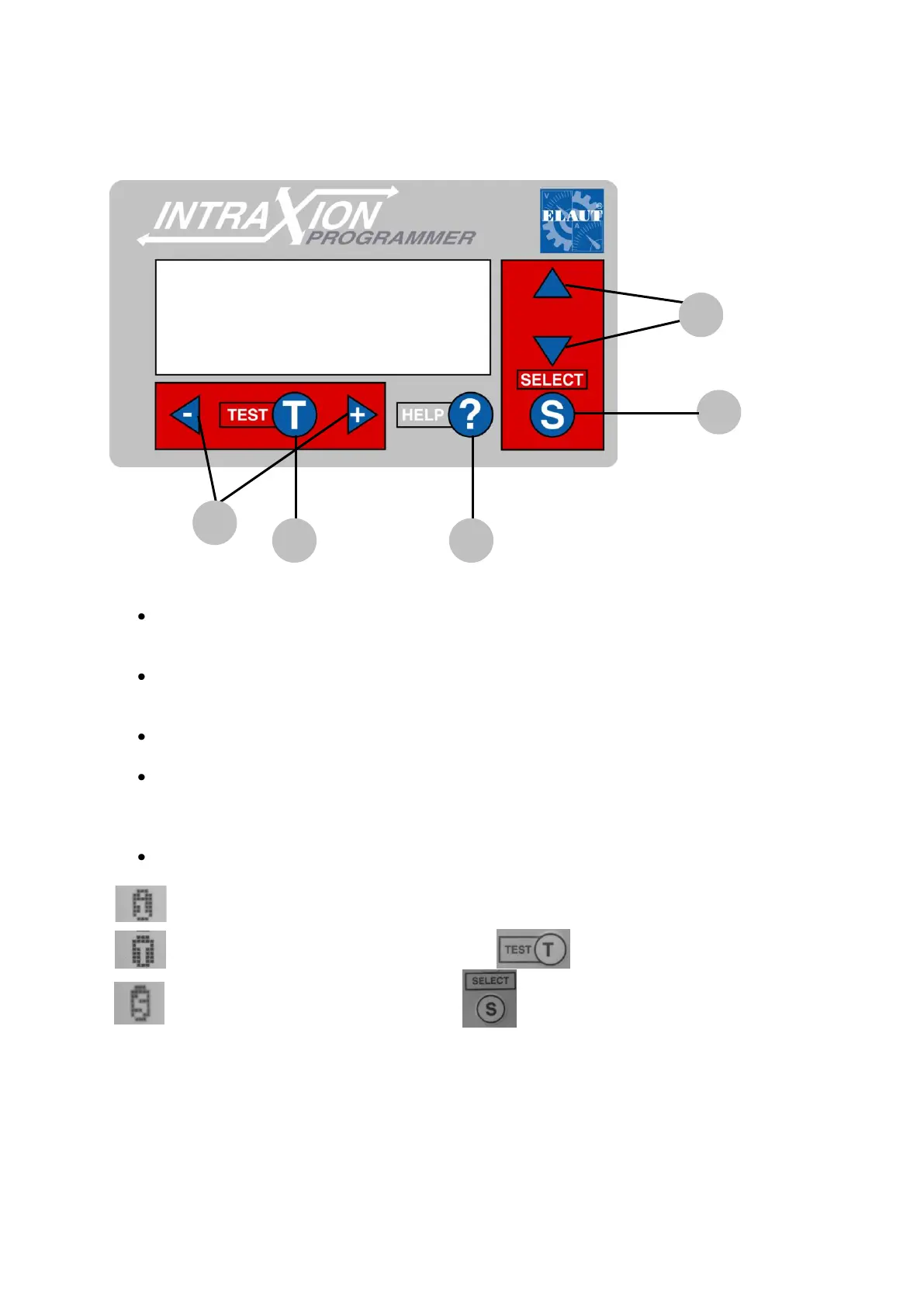
Working with the Intraxion Programmer
The arrows and (1) are used to navigate through the different menus and
settings.
The “Select” button (2) is used to open or close the different menus or to instigate
commands such as clear counters, restart regulator etc.
With the “Help” –button (3) can you get more information about each setting
Under specific circumstances are there possibility‟s to test the set values by pressing
“Test” –button (4). E.g. If you press T when the cursor is in front of the line “T
mechanical cycle” then the gantry will make a test cycle.
The buttons“-“ and “+” (5) are for changing values.
This “i” indicates that the opposite line shows only information.
This value is unchangeable.
This “T” indicates a test function. Press to activate.
This “S” indicates a function. Press to activate.
If this is the opposite of a title or a menu, then you go back to the main menu









 To Next Page