
 To Next Page
J
James AllenAug 14, 2025
How to fix ELCA E1 Remote Control when no LED switches on?
- WwbrownAug 14, 2025
If no LED switches on your ELCA Remote Control, the most likely cause is a low battery. Recharge the batteries to resolve this issue.

How to fix ELCA E1 Remote Control when no LED switches on?
If no LED switches on your ELCA Remote Control, the most likely cause is a low battery. Recharge the batteries to resolve this issue.
What to do if the red LED is fixed on my ELCA E1 Remote Control?
If the red LED is constantly on, it means the STOP mushroom button has been pressed. Release the STOP mushroom button to resolve this.
Why is the green LED blinking rapidly on my ELCA E1?
A rapidly blinking green LED indicates radio interference. Make sure there aren't any similar systems or noise sources like radio bridges or transmitters nearby. Try switching the transmitter off and then back on.
What to do if my ELCA Remote Control's green LED is fixed for 5 seconds, then the red LED is on for 1 second, and then the transmitter switches off?
This sequence indicates that the enable sequence was not entered. Enter the transmitter's enabling sequence to solve the problem.
What to do if the red LED is on for 1 second, then the ELCA Remote Control transmitter switches off?
This issue arises when an incorrect enabling sequence is entered. You should enter the transmitter's correct enabling sequence.
Why does the green LED on my ELCA E1 Remote Control stay on for 10 seconds then blink twice every 2 seconds?
This pattern indicates that the system is outside of its operating range. Ensure that the operating distance is within the allowed range and that the system has been installed correctly.
What does it mean if the green LED is blinking and the red LED is fixed for 10 seconds, then the ELCA Remote Control transmitter switches off?
This indicates that the transmitter is not coupled to any receiver. Perform the coupling procedure for the replacement of the transmitting unit.
Why is the green LED fixed and the red LED blinking twice every 2 seconds on my ELCA Remote Control?
This LED pattern indicates a receiver error. Try switching the transmitter unit off and on again.
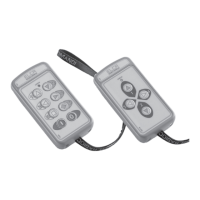
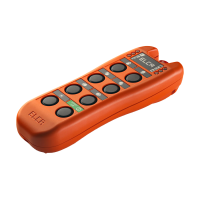
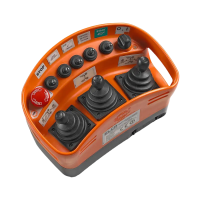
Provides an overview of the E1 Radio Remote Control System and its components.
Outlines specific applications and conditions where the radio remote control must not be used.
Details essential safety precautions and correct operating procedures for users and installers.
Explains how to program functions like enabling sequences and auto switch-off timing.
Provides crucial guidelines and precautions for the correct installation of the system.
Outlines daily, weekly, monthly, and yearly maintenance checks for the system.
Covers the warranty period, coverage, and conditions for the radio remote control system.
Provides information on the proper disposal of the radio remote control and its batteries.
Lists general specifications for the radio remote control system, including frequency and range.
Details the technical specifications for the transmitting unit, including battery and dimensions.
Details the technical specifications for the receiving unit, including power supply and contacts.
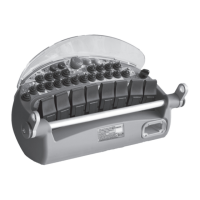
Specifies the features and capabilities of the battery charging system.
Explains how the transmitting unit operates and its basic functions.
Describes the functionality and use of the Multi-Transmitter System (MTS).
Details the components and operations of the receiving unit.
Provides a visual example of how to wire the receiving unit to a machine.
Guides the user on how to properly use the battery charger and interpret indicator lights.
Provides recommendations for qualified personnel performing transmitter replacement.
Explains the procedure for accessing and replacing the identification code card.
Details the procedure for enabling a new transmitter with its identification code card.
Lists common problems, their possible causes, and suggested remedies for radio connection failures.
Provides a flowchart for diagnosing issues with the transmitting unit's functionality.
Offers a flowchart to help troubleshoot problems related to the receiving unit's operation.
Presents a flowchart for diagnosing and resolving issues with the battery charging cycle.
 General
| Brand | ELCA |
|---|---|
| Model | E1 |
| Category | Remote Control |
| Power Source | Battery |
| Frequency | 433.92 MHz |
| Material | Plastic |
| Color | Black |