Notice for Use
Thank you for choosing Eleaf products! Please read this manual carefully before use so
as to use correctly. If you require additional information or have questions about the
product or its use, please consult your local agents, or visit our website at
www.eleafworld.com.
Product Introduction
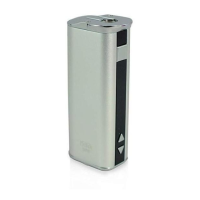
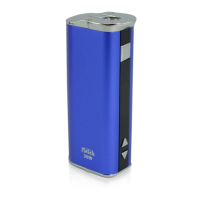
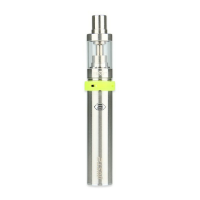
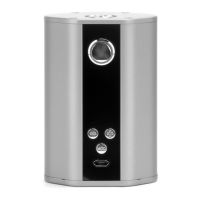
Mini iStick is a tinier and simplified version of the original iStick. Its length is
52mm (approximately 2.1 inches) making it a perfect fit for the palm of your hand
and easy to store in your pocket even while an atomizer is attached. The battery
capacity is 1050mAh despite its diminutive stature and it can handle up to 10W.
The battery display indicator on top allows you to easily see remaining charge.
With the Mini iStick, you will be able to carry a pocket friendly device while still
enjoying a satisfying vape!
How to use
Press the square button for five times to turn on the battery, and then long press
the square button to get a puff, loosen the square button to stop puff.
Mini iStick
User Manual
Properties of Mini iStick
Power on and Power off: Press the button for five times to power on and off the
battery.
Over 10s Protection: If you keep pressing the button for over 10 seconds, the screen
will reflect “10.0” and the output will shut off automatically.
Atomizer Short-circuit Protection: When atomizer short-circuit occurs, the screen
will reflect “Ω” and “Lo”, then the output and power source will shut off automatically. In
this case, please charge Mini iStick to active it.
Low-voltage Protection: When the voltage is below 3.3V, the output will shut off
automatically, the screen will reflect “%” and “Lo” for 3 seconds, then display current
battery level.
Unlock the Low-voltage Protection: When the voltage of battery is above 3.65V, the
low-voltage protection will be unlocked.
Low power Alert: If the power of battery is lower than 10%, both of the symbol “%” and
number on the screen will keep flashing.
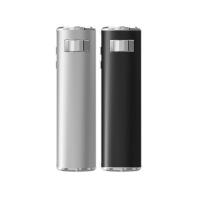
High-safety, high-capacity, high-magnification and high-stability lithium battery.
In the end of the battery, there are two laser marks, one named “Eleaf TM” and on the
other side is “Mini iStick ”.
On the bottom of battery, there is a laser mark named “CE”.
the square button
the LED screen
up arrow button
down arrow button

 Need help?
 General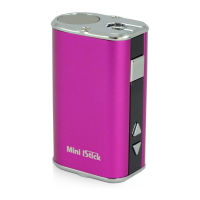

 To Next Page