8
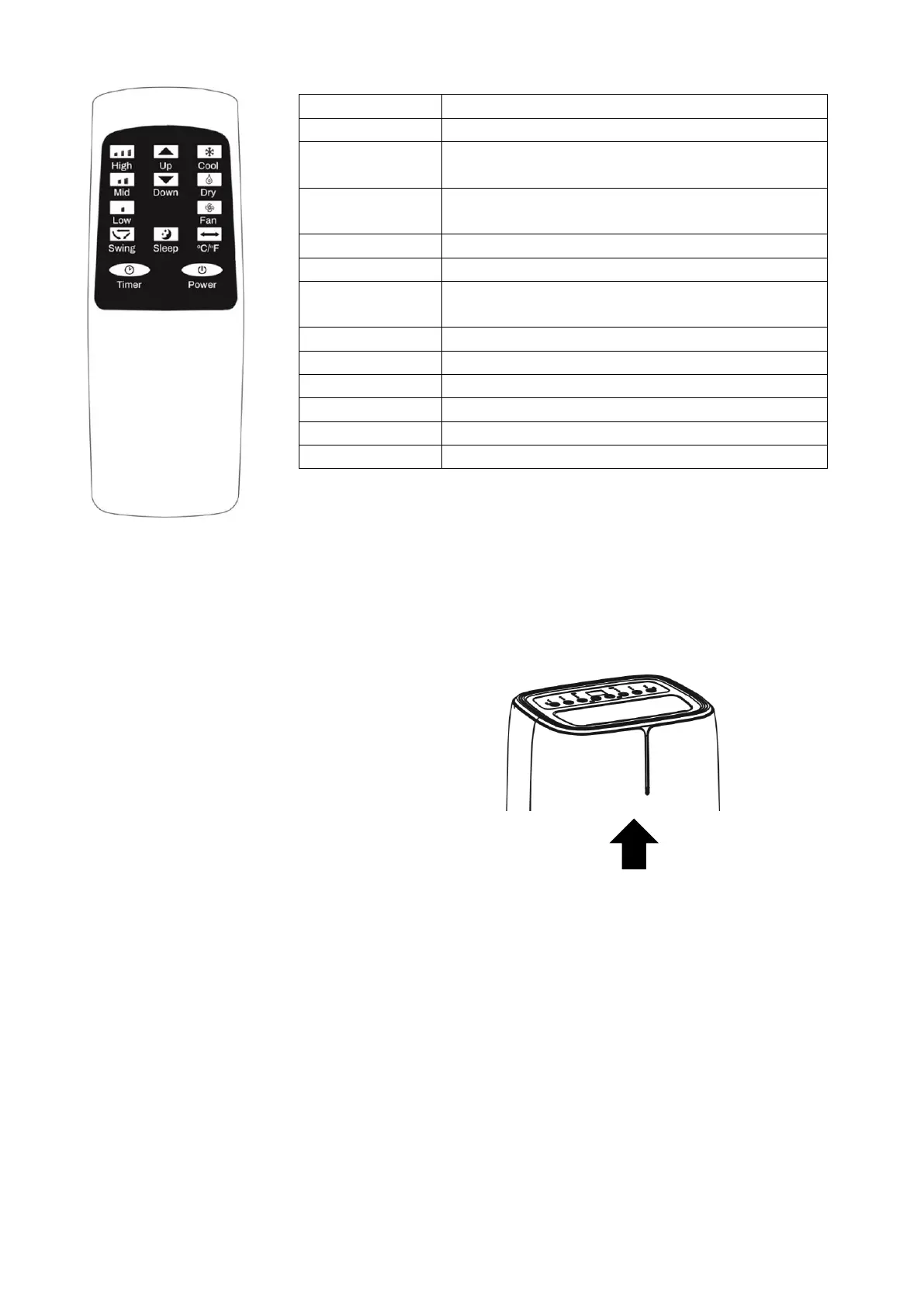
REMOTE CONTROL
NOTE: The design of the remote may vary from the diagram, due to
continuous product improvement.
SMART INDICATOR LED
The air conditioner contains a Smart Indicator which changes colour to show from a distance what mode
the air conditioner is set to.
COOL MODE
The indicator will display Blue.
SMART COOL MODE
The indicator will display Blue.
FAN (AIR PURIFIER) MODE
The indicator will display Green.
DRY (DEHUMIDIFY) MODE
The indicator will display Orange.
Press to turn the unit on or off.
Press to decrease the desired temperature or
timer duration.
Press to increase the desired temperature or
timer duration.
Press the sleep button to enter sleep mode.
Press swing to turn the swing function on or off.
Press to change between displaying the
temperature in Celsius or Fahrenheit.
Press to enter fan / air purify mode.
Press to enter cool mode.
Press to enter dry (dehumidify) mode.
Press to enter high (F5) speed fan.
Press to enter medium (F3) speed fan.
Press to enter low (F1) speed fan.





 To Next Page