19
AUTOMATION
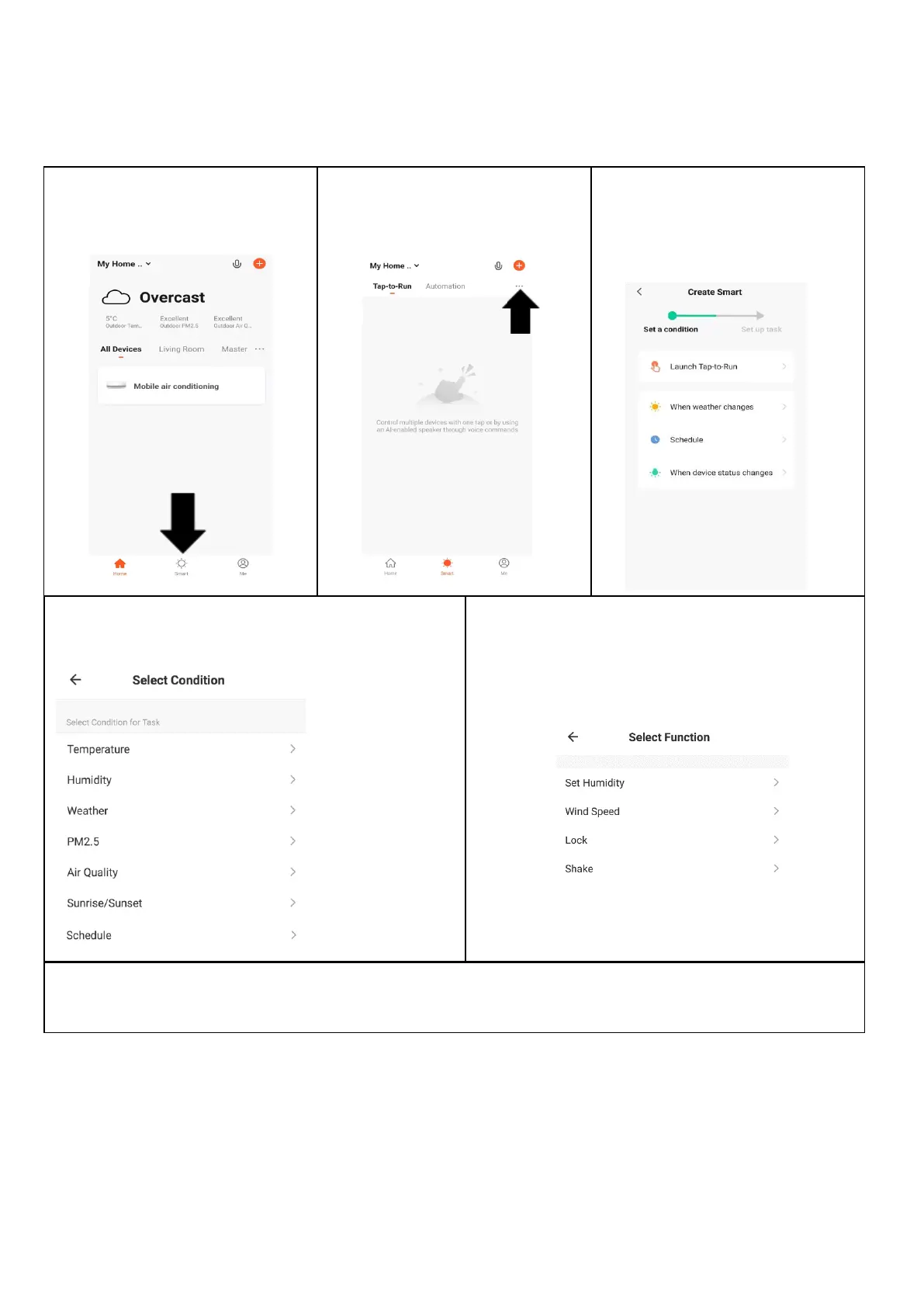
Automation allows an automatic action to be set up for the device. This can be triggered by the Time, indoor
temperature, humidity of the room, weather conditions, and a range of other influences.
1. Press on the Smart Scene
tab at the bottom of the
Home screen
2. Press on the Plus in the top
right corner to add a smart
scene.
3. Select the type of automation
required, such as on schedule
for setting up a timed
operation.
5. Chose the function, set the value for the
function, and then press the back button in the
top right corner, to return to the previous
screen.
4. Select the condition when the automation should
start. A number of triggers can be combined.
6. Once all the functions required have been added, press the Save button to finalise and save your
automated action. The automation can be turned on and off as required.




 To Next Page